
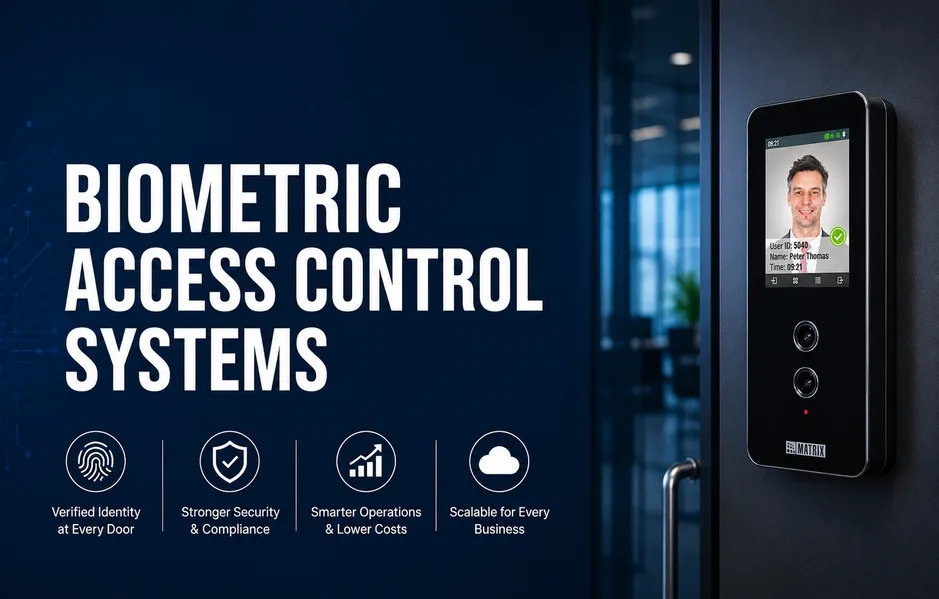
Keycard and PIN systems are easy to share, clone, or lose. This weakens perimeter security and increases admin work. At a nationwide scale, updating thousands of cards and passwords becomes a daily risk. Biometric access control adds a stronger identity layer at each door.
What Is a Biometric Access Control System and How Does It Work ?
A biometric access control system uses traits like fingerprints, face, or iris instead of only cards or PINs. It verifies the person, not just the credential. In real offices and plants, users enroll once, then present their face or finger at doors. The reader converts this into an encrypted biometric template and sends it to a controller or server. The system matches it against stored templates and applies rules for time, zone, and role. If allowed, it unlocks the door and logs the event.
Modern access control platforms often combine door access, time and attendance, and other security workflows in one system. This reduces duplicate data and manual checks.
Privacy by design is now expected in many regions. Plan consent, encryption, retention, and grievance handling from day one to lower legal and reputational risk.
Which Types of Biometric Access Control Systems Suit Different Businesses?
How Do Common Biometric Modalities Compare?
You balance speed, hygiene, and cost when you pick a method. Single credential systems feel simple but are weak.
- Fingerprint suits offices but fails with dirty or oily hands.
- Face recognition is touchless and fast for lobbies and busy zones.
- Iris or palm gives strong accuracy for data centers and secure rooms.
Use outdoor rated, dust and moisture resistant devices for harsh sites.
Standalone vs Networked vs Cloud-Ready: What Should You Choose?
- Standalone readers fit very small sites but keep logs local.
- Networked systems share policies across many doors and buildings.
- Cloud platforms add remote control, updates, and HR tools.
Match modality and system type to each site and risk level.
What Are the Key Components of a Biometric Access Control System?
Which Hardware and Software Pieces Really Matter?
The key components of a biometric access control system work as one stack.
- Hardware: biometric readers, control panels, locks, exit devices, power, network
- Software: central server, enrollment tools, policy and rules engine, audit logs, reports
- Integration: standard interfaces to business applications and IT systems
Ask each vendor to show how these layers work together in your sites.
How Do Compliance and Uptime Fit into the Architecture?
Privacy and security rules, such as data protection laws, are basic hygiene. For factories, data centers, and public sites, design for high uptime and fast recovery.
What Is the Real Advantage of Biometric Access Control Systems?
Old systems verify cards, not people. This gap creates real compliance and investigation risk.
- Confirms the person’s identity at the door, not just the card.
- Cuts tailgating and card sharing across busy entry points.
- Lowers admin work for lost, stolen, or shared cards.
This is the core advantage of biometric access control systems for businesses.
How Does Biometrics Improve Operations, Not Just Security?
- Link access and attendance to avoid duplicate devices and data.
- Automate shifts, visitors, and multi-site rules from one console.
- Gain cleaner audit trails using standard biometric access logs.
Where Are Biometric Access Control Systems Used Nationwide?
- Offices, factories, logistics hubs, data centers, and public facilities use biometrics to secure doors and record attendance.
- Critical sites such as airports, ports, power plants, and government buildings need stronger identity proof at each entry.
Explain consent, offer PIN or card fallback, and prefer integrated platforms over camera led ecosystems.
Frequently Asked Questions
Is biometric access control legal and compliant nationwide?
Biometric access control is generally allowed if you get explicit user consent and store templates securely. Define clear retention periods and document usage. Align policies with data protection and workplace rules. Provide simple grievances and opt-out options for employees and visitors. Keep all access and change events logged.
Can biometrics replace cards and PINs completely?
Biometrics can be the main access method, but many firms still keep cards or PINs. This helps with user comfort, special cases, and downtime. For high security areas, use biometrics plus a card or PIN. Define clear rules for visitors and contractors in your access policy.
How secure is biometric data compared to passwords or cards?
Biometric access control systems usually store encrypted templates, not raw fingerprints or face images. This reduces risk if data is leaked. Security still depends on strong encryption, strict admin rights, and regular audits. When you compare vendors, check how they protect templates, logs, and backups.
Will biometric readers work in dusty, humid, or outdoor environments?
Yes, if you choose devices rated for those conditions. Use industrial readers in dusty plants or humid zones, and outdoor rated units for gates. In crowded public areas, prefer touchless options like face or iris. These handle variable light and hygiene needs and keep throughput high.
What Should Your Next Step Be?
Biometric access control replaces keys with verified identity. Security and daily operations both get simpler.
- Map your critical doors, risks, and compliance gaps.
- List integration needs across HR, IT, and video.
- Compare integrated, nationwide ready, end to end designs from multiple vendors.
Conclusion
A biometric access control system replaces shared cards and PINs with verified identity at each door. It links security, attendance, and compliance into one integrated stack. You can mix fingerprint, face, iris, or palm with standalone, networked, or cloud-ready systems. The real gain is lower admin work and clearer audit trails across sites. Your most practical next step is to map critical doors and risks, list HR and IT integrations, then compare unified designs from Matrix Comsec and other vendors.