
Many firms still use paper logs. This is not safe. Paper lists can be lost, and guest names can be fake. They do not help you track visitors in real time. If a fire or threat happens, paper books fail.
Your front desk needs a simple digital tool. This visitor management system guide shows you how to upgrade. We will show you how to link your lobby check-in with your door locks. This integrated visitor access control setup saves time and protects your site.
Comparison: Legacy vs. Digital Visitor Log
- Legacy: Paper logs, manual checks, and zero visibility.
- Modern: Digital check-in, host alerts, and synced cameras.
Key Takeaways for Security Directors
Integrating visitor data with your locks reduces risk. You gain a central view of all guests across your offices. Security needs more than a sign-in screen. It needs a smooth link between visitor passes and door locks. Connecting these systems turns your front desk into a real asset.
1. Shift to Digital Pre-Registration
Lobby lines get long when guests arrive unannounced. Security staff must rush to check their details. This delay creates security gaps. Shifting checks to the invite stage solves this.
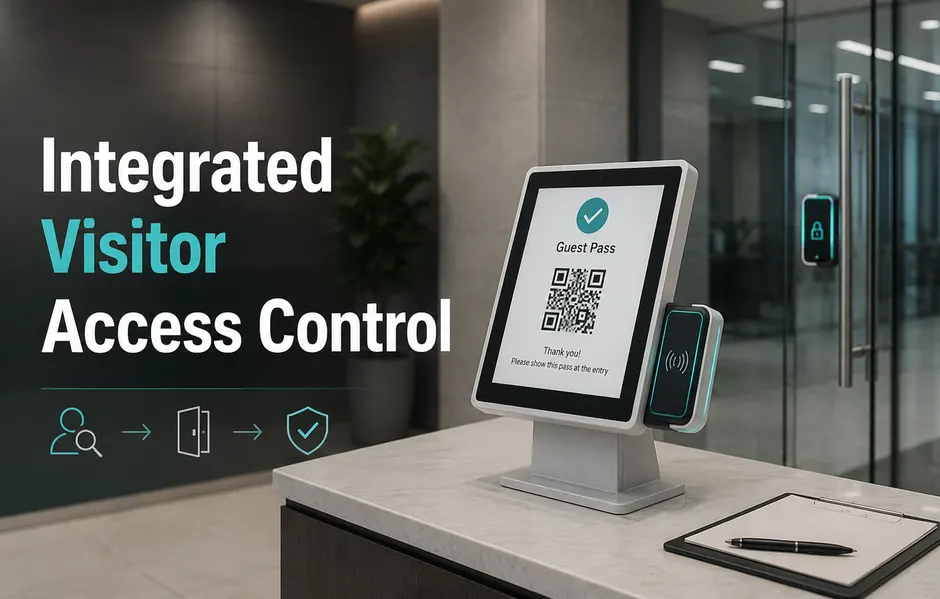
The check-in begins when the host schedules the meeting. The system sends a QR code directly to the visitor’s phone. This integrated visitor access control step supports a secure front desk process and cuts lobby lines.
Why Pre-Registration Protects the Perimeter: Pre-registration moves checks to the cloud before the guest arrives. This setup creates a clear log to support safety rules.
- Time-Bound Passes: Hosts issue passes via email or SMS. These work only during the meeting window.
- Pre-signed Files: Guests can sign NDAs on their phones before they arrive. This saves time at the desk.
- Watchlist Alerts: The system checks guest details against security lists. Security teams get alerts for high-risk profiles.
Using digital tools reduces lobby wait times. You gain real-time visibility across all offices. A modern visitor management system guide highlights this. It is key for visitor management setups. Matrix systems integrate visitor workflows with cameras for better security.
2. Automate Kiosks and Badge Printing
Manual logs are slow and prone to errors. Paper books cannot check guest names in real time. A digital kiosk fixes this.
Modern facilities use self-service kiosks as digital receptionists. Kiosks handle busy areas without extra staff. For visitor management projects, kiosks scan ID cards (like Aadhaar) to check guest profiles. The system prints a badge instantly.
Comparison: Paper Badges vs. Secure RFID
- Legacy: Paper badges that fall off or get copied.
- Modern: Encrypted, time-bound badges linked to cameras.
Standardizing Operations Across Branches: Kiosks enforce your visitor access control policy at every site. Unlike basic brands, Matrix visitor management offers a unified hardware and software stack. This reduces system bugs and cuts costs. You get a secure front desk process that scales with your firm.
3. Integrate Visitor software with Physical Door Locks
Many sites know who is in the lobby but lose track once the guest walks inside. Paper logs do not stop guests from entering restricted zones.
Connecting your visitor access control software to your access hardware solves this. An integrated visitor access control setup lets you decide where guests can go. The guest’s badge acts as their key.
Streamlining Lobby Workflows: This setup reduces the need for guards to open doors manually. The automation lets your team focus on real monitoring. It also creates a clear audit trail.
- Visitors scan their ID at the lobby kiosk.
- The host gets a text alert and clicks to approve.
- Access levels activate automatically on the visitor badge.
4. Sync with Cameras and Attendance
Security gaps occur when visitor logs sit in silos. If a guest enters a restricted zone, paper logs cannot alert you. When video is not linked to access logs, reviews are slow.
Connecting your visitor kiosk to cameras reduces this risk. When check-ins link to video, you get a visual log of each event. This makes it easy to trace guests.
Creating an Audit-Ready Trace: You gain a clear audit trail that supports safety rules. Matrix visitor management provides a platform that combines access, video, and logs. It simplifies operations and lowers system costs.
- Better Time Logs: Track work hours for contractors and guests in one place.
- Muster Safety: During fire drills, the system shows who is still in the building.
- Reduced Badge Sharing: Linking video to badge swipes prevents badge sharing.
5. Centralize Cloud Control
Managing security across many sites is a challenge. Disconnected systems create security gaps and inconsistent data.
Cloud-based integrated visitor access control links every site to one dashboard. You can unify rules across different time zones. Local managers still handle daily tasks. A guest in one office follows the same checks as in another.
Unified Control with Edge Resilience: You achieve a global view with local control. global view with local control. Matrix visitor management integrates hardware and software. Unlike systems that need complex middleware, Matrix offers a unified stack. This simplifies setup and cuts costs. You get a secure front desk process that grows with you.
Conclusion
Modern security needs more than paper books. Relying on manual logs creates risk. This visitor management system guide shows how to link your lobby with your physical security. By using integrated visitor access control, you replace chaos with a secure front desk process. You gain real-time visibility across all sites.
Look for a unified platform like Matrix visitor management. This “Made in India” approach connects your kiosks, cameras, and door locks natively. It cuts out complex middleware and reduces bugs. Start by digitizing pre-registration to reduce wait times. This shift turns your front desk into a real asset
Frequently Asked Questions
Can I link my current cameras with a new visitor system?
Yes, modern platforms support ONVIF. This lets you link camera feeds with check-in events. You can view real-time video beside visitor access control logs. A good visitor management system guide explains this setup. Always check compatibility with your current network.
How does access control help during fires?
The system generates live reports showing who has badged into the site. These reports list visitors and contractors who are still inside. This helps safety teams plan evacuations.
Is digital registration compliant with Indian privacy laws?
Yes, leading systems capture consent and encrypt guest data. For visitor management projects in India, always review data policies before rollout.
What is the ROI of automated check-in?
Savings come from less manual data entry and fewer paper logs. A unified system cuts setup and maintenance costs. Automating alerts and badge prints reduces wait times.
Can the system handle different rules for contractors vs. VIPs?
Yes, you can design separate workflows. Contractors must scan their IDs. VIP guests can use a quick QR code for fast entry.