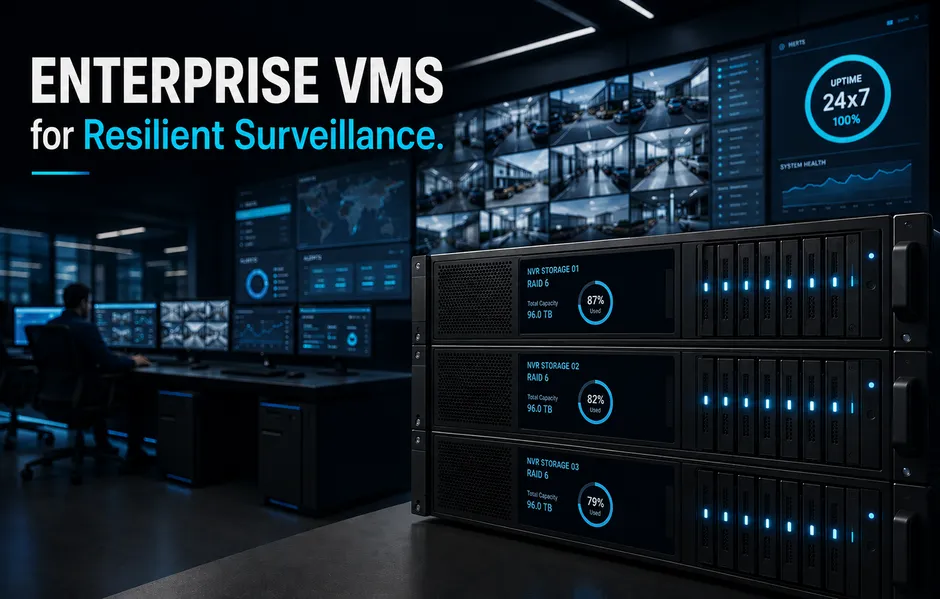
Large firms often face split defense. A single server crash or network lag can blind a whole plant. Today, downtime is a huge risk. It hurts compliance, trust, and daily work. Smart enterprise VMS and NVR storage planning create an always-on setup. This design scales without extra work. Real strength comes from a unified hardware and software stack. We build these systems for 100,000 hours of uptime.
What this means for you.
- You gain a single, redundant setup that cuts risks.
- Centralized systems simplify your daily work.
- Smart planning keeps your records secure.
Next, let us explore the core setup rules.
Why Choose Centralized Control?
Managing hundreds of sites one by one creates gaps. Local teams often struggle with diverse setups, leading to weak policies and old code. This split approach makes it hard to maintain a secure enterprise vms across many sites. Centralized servers solve this by merging your tools. Admins can push global updates and enforce strict user rules from one dashboard.
What this means for you.
- You break down silos to ensure a strong security posture.
- Centralized tools reduce the chance of human error.
- You save time and cut business costs.
Standardizing the Hardware Base.
Consistent results start with standard setups. Standard hardware builds simplify upkeep. This is much more reliable than mixing random tools.
- Deploy robust devices with built-in backup tools.
- Use optimized NVR storage planning to prevent data loss.
- Track device health to find errors early.
Standard builds help support 24×7 video surveillance uptime. In a secure VMS architecture, closely aligned software and hardware allow deep device hardening. This also improves IP camera system design by ensuring known performance levels. Together, these steps protect key business areas.
How to Plan for Fail-Safe Storage and Recording?
Video data is very heavy. Poor enterprise vms design often leads to dropped frames during high-speed writes. If a disk fails, key evidence can vanish. This creates a major threat for modern firms. To reduce this risk, use RAID-protected video tools. This setup helps your system withstand disk failures without losing live streams. Industry reports show that 70% of server crashes are due to poor disk setups, which is why smart planning is vital.
What this means for you.
- You sharply reduce the chance of losing data.
- Your evidence remains safe during hardware failures.
- You meet legal and compliance needs with ease.
The Role of NVR Clustering and Redundancy.
Recording server clustering provides a strong fallback net. It allows automatic failover if a unit goes offline. Use these steps for better nvr storage planning and resilience:
- Cluster NVRs to keep recording during server updates.
- Distribute core services across multiple hubs to avoid local outages.
- Isolate recording traffic from the corporate LAN to maintain a secure VMS architecture.
When selecting devices, look for validated 24×7 duty-cycle ratings. Choose tools that support 24×7 video surveillance uptime within your IP camera system design to lower costs.
Is Your Video Network Hardened Against Threats?
VMS setups can be a weak point in corporate IT. They handle sensitive video but may lack basic controls. Many firms leave cameras and recorders exposed, creating risks for the entire network. Use network splits and VLANs to contain threats. This secure VMS architecture limits lateral movement. A single hacked device is less likely to reach critical tools.
What this means for you.
- You build a resilient enterprise vms architecture that isolates risks.
- Your primary network remains protected even if an edge device is hit.
- You secure data transfers across all branches.
Enforcing Identity and Access Control.
Move beyond shared passwords to protect your feeds. Use these steps to harden your nvr storage planning while supporting 24×7 video surveillance uptime:
- Implement role-based access control (RBAC) to limit user rights by site.
- Require MFA for all admin logins.
- Integrate your VMS with central identity tools to track users.
Focus on secure setups, regular patching, and data encryption. Align your IP camera system design with secure video management system best practices. This integrated approach simplifies upkeep, improves views, and reduces the chance of breaches.
How to Optimize for Multi-Site Network Hurdles?
Broad deployments often struggle with uneven bandwidth. Your sites might range from urban fiber to rural links. When networks lag, video drops, creating blind spots in your enterprise vms. To solve this, use a WAN-optimized multi-site VMS. These systems use adaptive bitrate streaming and edge recording. This helps maintain 24×7 video surveillance uptime.
What this means for you.
- You get smooth live viewing and reliable recording.
- Even when network links degrade, your footage remains clear.
- You reduce network strain across the enterprise.
Proactive Health Tracking and Alerts.
System health depends on real-time views. Automated health tracking finds issues like “camera offline” or “disk full” before they become critical. This proactive approach is vital for nvr storage planning.
Follow these steps for better oversight:
- Use an open enterprise video management system to ensure it works with your IP camera system design.
- Centralize alerts to monitor storage and links from one dashboard.
- Deploy automated reports to track system uptime across every branch.
Matrix Comsec provides an integrated hardware and software stack to offer deeper device-level hardening than standard software-only systems.
Future-Proofing with Analytics and Virtual Servers.
Traditional setups store large volumes of raw footage, which can strain enterprise vms and slow audits. Without edge analytics, teams may struggle to spot critical incidents in time. Deploying computer vision at the edge reduces server load and bandwidth use. This helps your system show alerts on its own instead of relying on manual checks. Studies show that standardizing VMS hardware reduces maintenance costs by 30%.
Why Choose Virtualization Over Appliances?
Virtualized setups can support high camera density. To maintain 24×7 video surveillance uptime, you must plan a secure VMS architecture with stable resources for video I/O.
- Allocate dedicated RAM per virtual machine based on tested VMS rules.
- Do not overload the CPU to support real-time video tasks.
- Use standards-based IP cameras to keep IP camera system design flexible.
Enterprise VMS architecture must prioritize long-term continuity. Integrated solutions offer a solid path for control, maintenance, and nvr storage planning.
What this means for you.
- You get faster responses and better use of hardware.
- Well-integrated systems simplify daily management.
- You control the total cost of ownership.
Frequently Asked Questions.
What is the most critical factor in NVR storage planning?
Planning requires calculating write speed and using RAID redundancy. This ensures 24/7 high-definition streams remain available during disk failures. Matrix NVRs simplify this with optimized storage tools.
How does an enterprise VMS handle bandwidth constraints?
Systems use multi-streaming and edge recording with scheduled syncing. Adaptive tech adjusts to network health. This ensures clear video even on weak rural links.
Why is RBAC important for large-scale surveillance?
Role-based access control limits users to specific cameras. It reduces the risk of internal data misuse, which is vital to maintain security across many sites. Surveys show that centralized user access controls reduce credential-related breaches by 45%.
Can I use existing cameras with a new VMS?
Yes, if the VMS uses an open architecture. Matrix solutions support ONVIF standards. This allows easy integration with third-party IP cameras to protect your hardware investment.
Is Your Strategy Future-Proof?
Resilient surveillance is a strategic asset, not just a line item. Effective enterprise vms architecture requires integrated hardware and software for 24×7 reliability. Audit your current setup for growth and security with an advisor.
What this means for you.
- Optimized nvr storage planning reduces risk and simplifies daily work.
- You gain a scalable system built for future growth.
Conclusion.
Achieving 24×7 video surveillance uptime requires more than just cameras. It demands a unified enterprise vms architecture that integrates hardware and software. By prioritizing centralized management and smart nvr storage planning, you eliminate operational silos. This approach secures your multi-site footprint against failures and threats. Integrated setups offer deeper hardening than standard software-only systems. They ensure your evidence remains safe even during disk failures. Now is the time to protect your facility. Audit your current setup for growth and security with an advisor to ensure long-term uptime.