
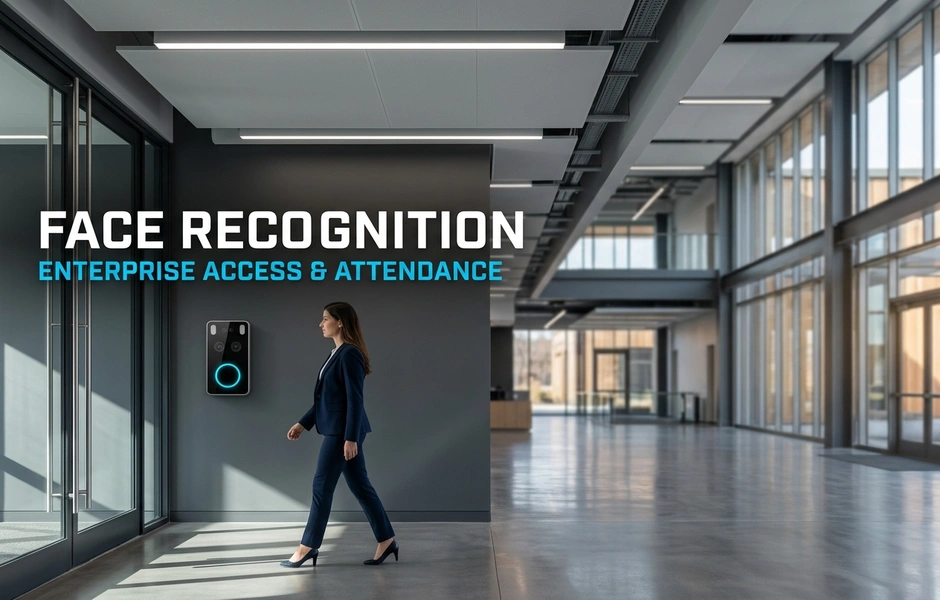
Modern businesses need smooth identity checks to run daily work and protect facilities. Upgrading to face recognition access control stops proxy attendance. It also unifies site security and time tracking across all locations.
Legacy card systems and fingerprint readers create friction and security risks like buddy punching. When workers share cards or fail scans, managers face extra work and bad payroll data. Manual tracking in multi-shift sites hurts work output and causes legal compliance failures.
Upgrading to face recognition time attendance solves these issues with a touchless setup. On-device facial matching checks credentials fast, even in bad light or with headwear. This contactless attendance system secures doors while sending exact live records to main HR software.
Beyond stopping card theft, unified biometrics speed up work across supply hubs, tech parks, and factories. Main policy tools let security teams adjust shifts, overtime rules, and holiday schedules automatically. Companies get faster entry during shift changes without hiring extra security staff.
Using enterprise biometric access protects data privacy with safe template storage that meets national standards. High recognition speed cuts queues at busy entry points in city and regional centers. Buying facial biometrics shortens audit times and boosts long-term business performance.
Why Are Legacy Biometrics and RFID Cards Failing Enterprise Operations?
Legacy biometrics and RFID cards fail because they leave security gaps and slow down daily work. Physical badges get lost, stolen, or shared by workers, which ruins entry records. Touch-based fingerprint scanners suffer from wear, slow processing, and hygiene issues. Modern face recognition access control replaces these weak tools with fast, safe checks across all sites.
What Are the Hidden Costs of RFID Cards and Fingerprint Scanners?
Card badges and physical scanners create ongoing operational costs that drain company budgets over time.
- Credential Replacement: Replacing lost, broken, or stolen badges needs constant buying and staff labor.
- Maintenance Overhead: Fingerprint sensors build up dirt and oil, causing reader failures and constant repair calls.
- Hygiene and Wear: Physical contact creates hygiene issues and speeds up hardware wear in busy work zones.
| Feature | Old System (RFID / Fingerprint) | Modern System (Face Recognition) |
|---|---|---|
| Credential Loss | High recurring physical card replacement costs | Zero physical credentials to issue or replace |
| Maintenance | Frequent cleaning and reader repairs required | Low-touch hardware with reduced physical wear |
How Does Buddy Punching Impact Enterprise Payroll and Operations?
Shared cards let workers log time for absent peers. This directly hurts company payroll accuracy.
- Payroll Inflation: Unearned wage payouts add up across multi-shift factories and logistics hubs.
- Compromised Security: Unchecked entries leave blind spots in security records during safety audits.
- Regulatory Non-Compliance: Bad attendance records trigger legal penalties under strict labor rules.
Using face recognition time attendance stops card sharing by checking exact user identities instantly at every door.
Why Is Contactless Access Essential for High-Throughput Workflows?
Busy shift changes need fast, touchless checks to stop entrance crowds and keep work moving.
- Shift Speed: Checking hundreds of workers manually or with slow sensors creates long entrance queues.
- Seamless Entry: A contactless attendance system checks moving workers without making them stop.
- Health and Safety: Touchless checks support health standards while improving shift start times.
Old card systems waste money, distort payroll, and slow down your workers during peak shift changes. Upgrading to unified enterprise biometric access protects your operational budgets, simplifies site work across locations, and delivers clear face recognition ROI through better workforce output. Next, we will see how to build a clear financial case for modernizing your access tools.
How Do Unified Access and Attendance Systems Drive Enterprise Efficiency?
Unified systems combine physical security and workforce tools into one platform. Unifying face recognition access control with time tracking removes extra databases and cuts work overhead. Old systems use separate hardware for door access and staff attendance. This setup creates data silos, adds office work, and leads to costly payroll errors. Modern unified platforms check identities once at the door. They update access rights and log attendance records across all sites right away.
- Old System: Disconnected readers, double enrollment, manual attendance checks, and security blind spots.
- Modern System: Single biometric log, instant HR sync, automated policy enforcement, and live audit logs.
How Does Native HRMS and Payroll Integration Eliminate Manual Data Entry?
Manual data collection from standalone units risks human error and payroll delays. Modern face recognition time attendance systems send clock-in events straight to company HR and payroll tools.
- Capture: The system checks workers instantly at entry points.
- Validate: Automated engines process overtime rules, shift pay, and local holidays.
- Sync: Clean attendance records flow straight into payroll software without human help.
This automated data flow stops buddy punching and removes time sheet fraud.
How Does Centralized Policy Management Work Across Multi-Location Facilities?
Managing shift schedules and access rights across nationwide sites creates legal risks. Central databases let admins manage multi-site operations from one dashboard.
- Shift Management: Set up regional work schedules and holiday rules across all sites.
- Role-Based Access: Give instant entry rights to full-time staff, contractors, and seasonal workers.
- Adaptive Workflows: Support local legal needs while keeping a single identity database.
Local site managers handle daily shift changes, while security teams maintain central policy control.
What Role Does Enterprise Biometric Access Play in Physical Security Convergence?
Enterprise biometric access acts as a vital layer of zero-trust physical security. Connecting attendance nodes to physical security provides live site visibility.
- Instant Audit Logging: Every entry attempt creates a fixed timestamp.
- Security Triggers: Custom alerts notify security teams of tailgating or forced doors.
- Zero-Trust Access: Dynamic rules remove access rights across sites as soon as contracts end.
Unified platforms replace split systems with simple operational control. They lower management overhead, protect site perimeters, and deliver proven ROI. Upgrading your setup creates a future-ready base for your business. Next, we will evaluate costs and build a strong financial case.
How Should You Measure Face Recognition ROI and Calculate Cost of Ownership?
Measuring biometric ROI needs looking at immediate office savings along with multi-year total cost of ownership. A practical plan balances hardware setup costs against ongoing operational gains across security, HR, and IT.
To calculate financial return accurately, evaluate three key operational areas:
- Direct Savings: Measure payroll accuracy gains by stopping proxy punching and manual timecard errors.
- Structural Costs: Compare network costs between local edge hardware and heavy cloud streaming systems.
- Productivity Gains: Track check speeds, automated log hours, and compliance audit efficiency.
Deploying unified face recognition access control and face recognition time attendance turns physical security into a valuable financial asset.
What Direct Financial Savings Result from Eliminating Time Theft?
Inaccurate attendance records lead to bad payroll losses. Contactless biometrics eliminate buddy punching by checking real physical presence automatically.
Key financial gains include:
- Payroll Accuracy: Stop unearned wages by recording exact entry and exit timestamps.
- Automated Reconciliation: Save many HR hours monthly by replacing manual sign-offs with direct payroll sync.
- Multi-Site Control: Standardize shift rules and overtime policies across factories, offices, and supply hubs.
Pay once, scale later. Stopping time theft delivers immediate payroll recovery.
How Does Hardware Durability and On-Device Processing Lower Long-Term TCO?
System design controls long-term infrastructure costs. Streaming constant video to cloud servers uses heavy bandwidth, driving up continuous costs.
On-device processing lowers lifecycle spending:
- Edge Architecture: Process biometric matches locally in milliseconds to keep fast access during network outages.
- Hardware Durability: Tough hardware lasts longer, cutting repair needs and ongoing maintenance costs.
- Flexible Infrastructure: Local and hybrid setups meet data privacy rules without expensive vendor lock-in.
Strong edge hardware provides solid performance with clear ongoing costs.
What Operational Metrics Prove Successful Implementation?
Clear performance metrics prove deployment success across security and user experience goals.
Track these key operational metrics after deployment:
- Verification Speed: Keep check times under 1 second to eliminate entry queues.
- Match Precision: Keep false match rates low while supporting bad light, headwear, or facial hair.
- Throughput Capacity: Process high user numbers per minute during shift changes to keep work moving.
A unified biometric platform lowers office work, strengthens compliance, and ensures stable operational costs. Upgrading your setup delivers clear financial returns across every facility. Next, let us examine the setup plan for your organization.
What Security, Privacy, and Compliance Requirements Must You Address?
Meeting security, privacy, and compliance rules for biometrics means protecting user data while meeting strict regional legal standards. Companies must secure facial templates using AES-256 encryption at rest and TLS 1.3 encryption in transit. Systems must offer clear consent management tools, deep user rights rules, and automated data cleanup schedules matching local privacy laws.
To stay safe, companies need 3D depth sensors and AI liveness tools that stop fake attacks like photos or playing video. Choosing between on-premise, cloud, or hybrid setups dictates speed and data law compliance.
Old System vs. Modern System:
- Old System: Unencrypted templates, flat photos, open cloud storage.
- Modern System: Encrypted feature vectors, 3D anti-spoofing, regional edge storage.
How Do You Ensure Compliance with Global Data Privacy Regulations?
Using face recognition access control requires strict compliance with rules like GDPR and national privacy laws. Raw face pictures should never be saved directly. Convert pictures into math vectors encrypted using AES-256 at rest and TLS 1.3 in transit.
Manage user consent through a simple step-by-step path:
- Get explicit opt-in consent during onboarding.
- Show clear policy notices across digital touchpoints.
- Use automated retention schedules to remove old worker templates.
Flexible consent options let HR teams adjust policies across regions with ease.
Why Is Advanced Liveness Detection Critical Against Spoofing Attacks?
Standard 2D cameras fail when bad actors show high-resolution photos or digital video playback. Advanced 3D depth sensors and AI liveness tools check micro-expressions, skin reflectivity, and spatial depth. These checks stop presentation attacks right away.
Modern edge units maintain accuracy through real operational challenges:
- Changing light conditions, from bright sunlight to dark hallways.
- Varying facial features, including facial hair, makeup, or glasses.
- Regional clothing, religious head coverings, and protective face masks.
This high reliability lowers risk while enabling a smooth contactless attendance system.
Should You Deploy On-Premise, Cloud, or Hybrid Architecture?
Choosing the right architecture depends on speed goals, network backup needs, and local laws.
- On-Premise: Highest data control, sub-second speed, zero cloud dependency.
- Cloud: Fast multi-site expansion, central updates, higher bandwidth needs.
- Hybrid: Local edge matching for reliability, central tools for policy sync.
Choosing built-in face recognition time attendance workflows ensures smooth multi-site tracking.
Unified biometric platforms simplify compliance while lowering risk. Matrix offers secure edge processing and flexible setups, delivering clear ROI and peace of mind.
What Is the Step-by-Step Blueprint for Enterprise Deployment?
A company rollout needs a clear roadmap to move smoothly from old credentials to modern biometrics. Building an effective deployment plan involves three main operational steps:
- Run site readiness checks and lighting environment surveys.
- Run controlled multi-site pilots across different worker shift structures.
- Use structured change management and self-service onboarding.
Following this step-by-step method ensures safe hardware placement, high match accuracy, and full legal compliance. Adding face recognition access control into business workflows protects assets while cutting daily friction across sites.
How Do You Conduct Site Readiness Audits and Optical Environment Surveys?
Before mounting hardware, IT and security managers must check physical site readiness across every location:
- Hardware and Power: Inspect current door hardware and check Power-over-Ethernet (PoE) support.
- Lighting Conditions: Measure room lighting to prevent direct sunlight glare at main entry points.
- Flow Rules: Calculate peak entry volume needs for industrial gates and busy lobbies.
Setting clear device placement rules early prevents bad entry queues during peak shift changes.
How Do You Execute a Controlled Multi-Site Pilot Program?
A good rollout starts with a controlled multi-site pilot program across basic facility types:
- Set Clear Criteria: Define success metrics for varied worker groups and complex shift patterns.
- Test Edge Cases: Check match accuracy across changing light, facial hair, and regional clothing.
- Refine Settings: Collect user feedback to improve registration steps and template matching rules.
Testing face recognition time attendance in remote plants and city hubs ensures smooth policy sync before full rollout.
What Change Management Tactics Drive Smooth Employee Adoption?
Worker trust drives adoption. Clear change management removes daily friction across distributed teams:
- Clear Privacy Policies: Share active news about data privacy, encryption, and local rules.
- Self-Service Onboarding: Set up self-service sign-up kiosks and easy onboarding steps to speed registration.
- Friendly Interfaces: Provide multi-language options on sign-up kiosks to help diverse regional teams.
Old Manual Systems vs. Modern Biometric Systems: Manual badging causes long queues and security risks. Modern touchless platforms verify user identity instantly.
Following a phased plan lowers deployment risk, ensures legal compliance, and speeds up return on investment. Matrix offers an integrated biometric access and attendance platform built for complex, multi-site business sites. Contact our security team to start your deployment blueprint today.
Future-Proofing Your Business Architecture with Unified Face Recognition
How Does Unified Biometrics Protect Your Investment?
Unifying face recognition access control and face recognition time attendance delivers clear operational efficiency, tighter physical security, and higher compliance across all business sites.
Old System vs. Modern System:
- Old System: Split hardware, manual clocking errors, and slow audit trails.
- Modern System: Live data sync, automated payroll integration, and instant identity verification.
Choosing an end-to-end platform ensures long-term continuity, easy multi-site scaling, and strict data privacy compliance across all regions.
- Lower labor costs through accurate automated logs
- Zero queue risk at busy entrances
- Full compliance with national data privacy standards
Ready to upgrade your enterprise setup? Request a consultation with our security experts today to map your transition.
Conclusion
Legacy RFID cards and fingerprint readers no longer meet modern business needs. They create real security gaps, inflate payroll through buddy punching, and slow down busy shift changes. Switching to modern face recognition access control replaces these failing tools with fast, contactless identity checks across all site entry points.
A unified biometric architecture connects physical access control directly with enterprise time attendance. This touchless approach speeds up entry throughput without adding security staff. Direct sync with central HR and payroll platforms automatically records exact clock-in timestamps. As a result, companies eliminate time theft, cut office work, and ensure labor compliance across multi-site operations. In addition, using local edge processing lowers bandwidth costs and keeps local hardware running safely during network outages.
Deploying enterprise biometric access delivers clear financial return on investment. It lowers long-term repair costs, stops bad wage payouts, and protects physical site perimeters.
Your best next step is to evaluate your total cost of ownership along with local legal requirements. Use these insights to build a strong business case and execute a structured deployment plan for your company.
Frequently Asked Questions
How does face recognition handle low light, facial hair, or headwear?
Modern face recognition access control systems use deep learning models and infrared sensors for high accuracy. They process facial features reliably in low light or darkness. Changes in facial hair, glasses, or headwear do not break authentication. This ensures smooth enterprise biometric access across diverse user groups.
Can face recognition access control function during network outages?
Yes, purpose-built units feature local processing and memory. They check users and log events locally during network outages. Once the connection returns, units auto-sync all records to main servers. This design guarantees constant contactless attendance system operations and strong physical security without data loss.
How is biometric template data protected from privacy breaches?
Biometric hardware protects privacy by turning face images into encrypted math vectors. Original raw images are never stored on devices or servers. These unique templates cannot be turned back into photos. Strong encryption rules ensure sensitive data stays safe and compliant with privacy laws.
How quickly can an enterprise face recognition system verify an employee?
Enterprise face recognition units complete matching and liveness checks in under one second. Fast checks support high entry volume at gates during peak shift changes. Quick matching stops bottlenecks, improving user comfort while delivering strong face recognition ROI for large companies.
Does face recognition access control integrate with existing enterprise software?
Yes, open platforms connect smoothly with external software using native connectors and APIs. The system syncs face recognition time attendance data with HRMS, ERP, and payroll tools. This automated workflow simplifies shift management, cuts manual errors, and enforces compliance across company sites.