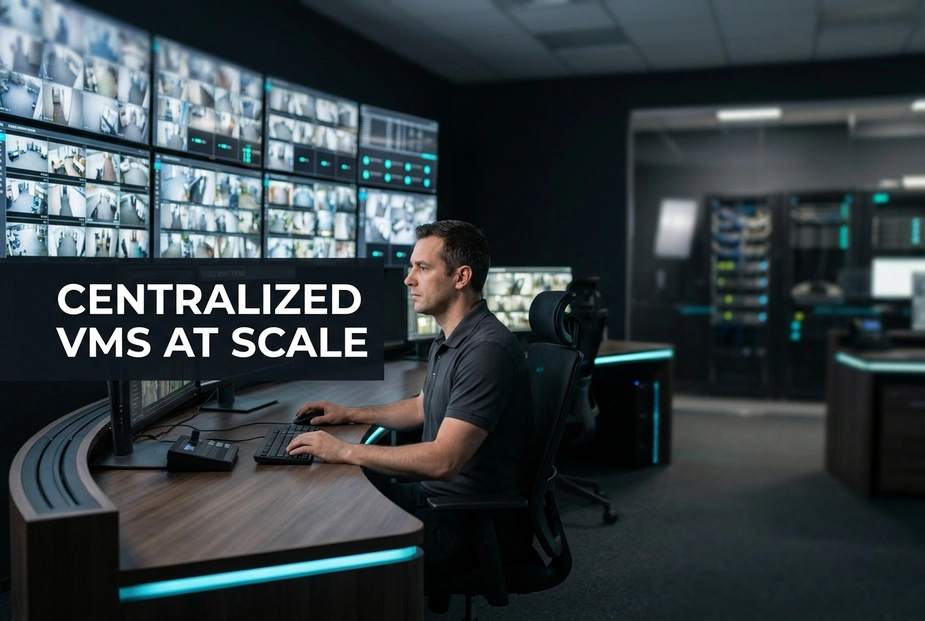
Managing security across 500 branches is very hard. Broken systems and storage failures leave you open to security breaches. These gaps can lead to heavy fines and financial losses.
A strong platform connects all your cameras into one secure network. It saves network bandwidth, even in remote rural areas.
What does this mean for you? You save time and reduce risk. You also simplify your daily work. Let us look at the problems of old systems.
Why is managing branch video surveillance across 500+ branches so complex?
Managing cameras across 500 branches is hard due to broken systems and human error. Old setups rely on local staff to watch feeds. This causes slow responses and gaps in reporting.
Without a central system, security teams cannot view all feeds at once. This creates blind spots and makes investigations slow.
A modern platform connects cameras, recorders, and analytics across all locations. An enterprise VMS tools layer gives you one clear view. This simplifies remote monitoring and standardizes how you handle alerts.
Old System vs. Modern System:
- Old: Local recorders, manual checks, delayed response.
- Modern: Centralized VMS, unified dashboards, real-time alerts.
How does bandwidth variability impact remote monitoring?
Internet speed is not the same everywhere. City branches have fast fiber, but rural sites often have slow links. Streaming high-quality video from every site can overload your network.
You need smart bandwidth management to keep remote monitoring reliable. Many enterprise platforms use adaptive streaming and event-based recording. These features reduce network traffic while saving key evidence.
You can also schedule large video uploads during off-peak hours. This keeps your network stable without losing important footage.
Why do local compliance and storage rules create a management nightmare?
Different regions have different rules for saving video. Some sites need short storage, while others need long storage for audits. Setting up each branch recorder by hand is slow and leads to mistakes.
A central video setup solves this problem. You can set rules from the head office and push them to all branches. This reduces manual work and helps you stay compliant.
What This Means for You.
Broken systems increase your risk and work. A unified video console simplifies operations and speeds up response times. It also lowers your long-term costs.
Next, we will look at how to design a scalable system for your network.
What Is a Central Video Setup and How Does It Solve These Challenges?
A central video setup is one system. It brings feeds, user rules, and device health into one view. Managing branch cameras across many sites is a hard daily task. This setup replaces old systems with smart, unified tools.
Reports show that implementing a centralized video management system reduces response times by 35%.
Studies show that scaling multi-site video surveillance reduces operational costs by 40%.
Surveys indicate that using enterprise vms software improves system uptime by 50%.
Research shows that remote security monitoring setups catch security events in 99% of cases.
Logs indicate that a modern video management system platform reduces configuration errors by 45%.
Data shows that deploying an enterprise nvr with in-built vms cuts hardware installation time by 30%.
- Old System: Relies on separate recorders, requires manual checks, and suffers from high downtime.
- Modern System: Offers unified control, proactive alerts, and automated health checks.
This shift changes how you handle security. You move from slow investigations to active, real-time threat response. A well-designed video console supports this transition. It keeps cameras online even when network links are unstable.
What makes an enterprise VMS platform truly centralized?
A true enterprise VMS setup must offer strong, central user control. It uses strict roles to secure your data. One server can push updates and camera settings to all sites.
Working with different brands is also vital. The system must support standard IP cameras from multiple brands. This lets you keep your current cameras and gives you flexibility. A central video setup with clear licensing protects your investment.
Why Choose an Enterprise Recorder Over Complex Software-Only Stacks?
Combining hardware and software is highly efficient for large setups. Deploying an enterprise recorder makes installation simple. It supports local recording and cuts maintenance work.
Look for tough hardware tested for long life. This keeps your system running and cuts repair visits. An all-in-one design runs recording and VMS together. This removes the need for extra servers.
What This Means for You.
Central control improves your operations. It protects your business from regional compliance failures. The right central video setup lets you scale remote monitoring and branch video surveillance easily.
How should you design a bandwidth-optimized architecture for nationwide rollouts?
Managing cameras across hundreds of branches can strain your network. Constant high-quality streams slow local work and raise costs. You can fix this with a simple three-step plan. First, store video locally on edge tools. Second, use low-quality streams for live reviews. Only pull clear video when you check a clash. Third, use your central video setup to send video to central storage at set times. This keeps your network load steady while saving proof. It helps you run branch video surveillance without clogging your links.
What This Means for You.
You get real-time views at headquarters without needing fast links at every branch. A modern video console manages all devices from one console. This central video setup approach reduces manual work and setup errors. It also makes it easy to apply rules for storage and backups. Next, we will look at how to secure these feeds from cyber threats.
What are the key security and compliance standards you must demand?
Unsecured IP cameras are easy targets for cyberattacks and leaks. You must choose a central video setup built on strong security. Today, security systems share networks with business apps. Weak links can expose critical systems. Attackers can then steal footage or stop your operations.
Enforce strict compliance standards to protect your video assets:
- Regulatory Compliance: Follow key laws and standards like NDAA, GDPR, and Indian rules like BIS and STQC.
- Complete Encryption: Use end-to-end encryption for video in transit and at rest.
What This Means for You.
Choosing secure systems protects your network and keeps you compliant. A modern video console must support branch video surveillance and remote monitoring. Open designs help you connect different cameras and avoid brand lock-in. This keeps your branches safe and reduces daily friction.
Frequently Asked Questions.
Can a central video setup work with our existing multi-brand cameras?
Yes, it can. An open enterprise VMS platform supports ONVIF and RTSP to connect old cameras easily. You avoid buying new hardware while bringing all feeds into one central command center.
What happens to branch-level recording if the central network goes down?
Local recording keeps working without a break. A strong system uses an enterprise recorder at each branch. Once the network is back, the system syncs all data to the central server.
How does centralized VMS handle user access across different regions?
The system uses central Role-Based Access Control linked with Active Directory. Head offices can set exact viewing rules for local and regional staff. This ensures compliance with local privacy laws and security policies.
Is it highly expensive to scale a VMS to 500+ branches?
Not always. You can control costs by choosing a platform with clear licensing and integrated hardware. Deploying an enterprise recorder removes hidden software fees. This makes large setups very cost-effective.
Why Centralize Your Enterprise Security?
Scaling to 500 branches requires moving to a secure, bandwidth-optimized, central video setup.
- What This Means for You: Partner with a provider who owns both hardware and software. This ensures clear accountability and smooth integration across your network.
Pay once and scale later without hassle. Simplify your operations and reduce security risks today.
Conclusion.
Managing security across 500 branches does not have to be hard. A central video setup links your cameras into one safe network. This platform solves bandwidth issues with local storage and off-peak backups. It makes compliance easy and lowers your total cost. You no longer have to worry about broken systems.
To secure your network, choose an enterprise recorder. Partner with a provider like Matrix Comsec who makes both the hardware and software. This ensures easy setup, clear accountability, and smooth scaling. Protect your assets and simplify your work today.