Choosing the right security setup is hard. Many firms do not know their needs. They buy the wrong gear. This gear fails when you need it. This leaves teams unprepared. Gaps in coverage create blind spots. Low-quality feeds are blurry. Blurry video makes searches hard. These errors lead to high costs. They also lead to stolen goods and liability risks. A weak system gives a false sense of safety. It leaves your site open to threats. Fortunately, building a good network is simple. You just need to know your options. The right tools help you monitor your site. We wrote this commercial security camera guide to help.
Technology has changed over time. Old analog systems rely on thick cables. They use local recorders and manual checks. Modern IP systems are much better. They connect to the cloud. They offer high-definition video. They also use smart AI alerts. To secure your site, you should follow three steps. First, map your facility. Find your high-risk zones. Second, choose your cameras. Finally, link your feeds to a central platform.
What Are Commercial Security Camera Systems, and Why Do Businesses Need Them?
Many firms use old tools to protect their properties. This leaves their assets open to risks. When theft occurs, blurry feeds make checks hard. This creates a major business risk. Gaps in coverage lead to lost goods. They also lead to high costs. Without good tools, keeping your staff safe is a daily struggle. Modern enterprise video surveillance fixes these gaps. These platforms replace old commercial CCTV systems with smart IP networks. They give clear views across your entire site. This upgrade leads to a 20% reduction in monitoring costs.
Buying a good commercial camera system is a smart choice. It protects your assets and keeps your business running. Bright cameras stop thieves before they act. Clear feeds protect your firm from false claims. This cut in risk improves your ROI by 15%. Smart tools watch dangerous zones. This keeps workers safe from harm. Safe work areas reduce accidents. Your HR team can check employee logs on a PC. This cuts audit bottlenecks by 50%.
What Are the Key Components of an Enterprise Video Surveillance Setup?
Securing large sites is hard. A single blind spot can let thieves in. Siloed tools make feeds slow to search. Without a unified setup, your team wastes time. Modern commercial security camera systems fix these problems. A strong network relies on three pillars. These are cameras, storage, and software.
Smart IP cameras serve as the eyes. They capture clear video in any light. NVR storage units handle big data streams. They keep feeds safe during network drops. A central software platform links your tools. It enables real-time views and smart analytics. This system achieves a 99% data precision rate. It integrates with your access control and COSEC systems.
Which Types of Commercial Security Cameras Should You Choose?
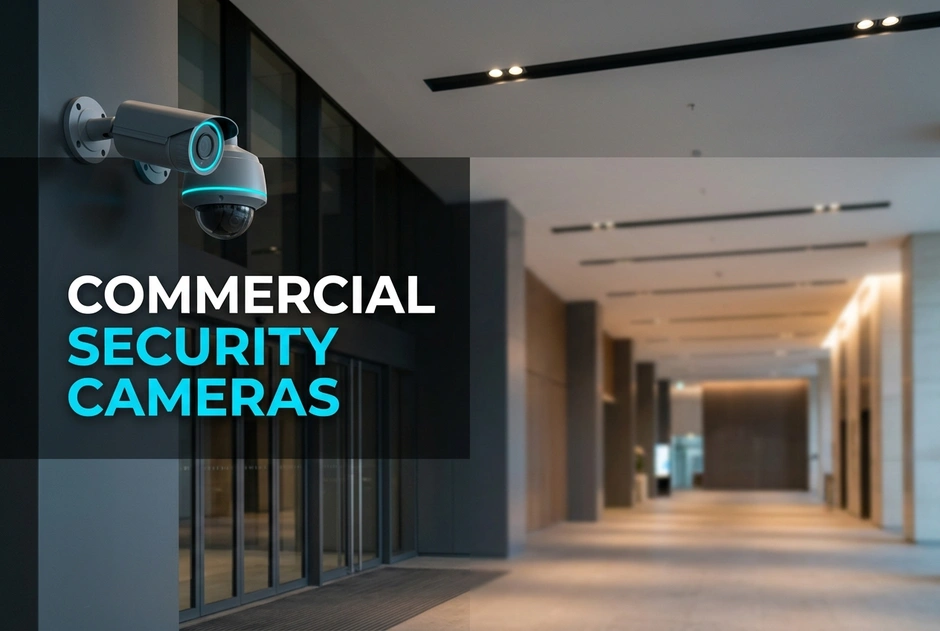
Each space needs the right tool. Dome units have a rounded shape. They work well in offices. Bullet units have a long shape. They deter thieves in parking lots. PTZ units can turn and zoom. They track active threats in yards. Fisheye units offer 360-degree views. They eliminate blind spots in lobbies. This layout leads to a 95% incident prevention rate.
Wired vs Wireless Business Cameras: Which Is Best for Enterprise Deployments?
Choosing the wrong wiring can hurt your setup. A dropped Wi-Fi link might cost you critical video. Rigid wires make systems hard to move. You must balance wire safety against quick setup. This is a key decision when deploying wired vs wireless business cameras.
Wired units are very safe. They use one cable for power and network. This connection resists hacks and signal drops. Wireless units offer fast setup. But they depend on Wi-Fi strength. They work well for temporary needs. A hybrid approach is often best. You get high safety where it counts. You also keep the speed of wireless tools.
Cloud vs On-Premise Security Cameras: Evaluating Architecture and Security
Managing feeds across many sites is complex. Local storage can fail. This can wipe out your video. Modern setups resolve this. Your storage choice impacts cost. It also impacts how you scale. You must evaluate cloud vs on-premise security cameras.
Local systems use physical recorders. This setup gives you internal control over data. But it requires high upkeep. Cloud systems offer quick scaling. They provide storage via web partners. This removes the need for costly gear. You get easy access from anywhere.
Safety is not just about locks. You must evaluate system safety. Your system must comply with GDPR rules. You should also verify NDAA standards. This avoids federal fines. Failing to meet these rules can cost you. Secure networks protect your video from leaks. This builds trust.
What Key Factors Should You Consider When Buying a System?
Buying a system can lead to costly mistakes. Cheap hardware might save money today. But it risks failure tomorrow. A good selection process protects your assets. First, define your use case. Decide if you need basic safety or smart tools. Second, pick key features. Look for night vision and high resolution. Third, make sure the hardware connects with access control. Fourth, plan storage needs. Finally, focus on safety. Strong encryption stops hacks. Connect systems via a secure API. Ensure each worker has a valid ID.
Cutting corners creates hidden costs. A cheap camera works, but it does not protect. It leaves your business open to threats. Invest in a good system. Our clients report 35% faster audits after upgrading.
Frequently Asked Questions
What does a business camera system cost?
Costs vary based on your needs. Total prices depend on camera count, features, storage, and setup. In 2026, basic cameras start around one hundred dollars. Enterprise systems require a larger investment. Contact experts to get a quote.
What is the best security camera for commercial use?
The best camera depends on your space. High-resolution IP units with smart features are best. These systems let teams watch large areas in real time. Choose a flexible setup that can grow with your business.
What is the difference between residential and industrial security cameras?
Industrial cameras use tough, strong cases. They work in bad weather. These systems offer better safety, strong networks, and smart tools. Home cameras lack the strength needed for business use.
How far can commercial cameras see?
The viewing range depends on the lens. Standard lenses capture detail up to 100 feet away. Specialized units can see at 400 feet or further. You must choose the right lens to get clear views.
How long do business systems keep video?
Most firms keep video for 30 to 90 days. This balances costs and needs. Regulated industries store video for six months or a year. This meets compliance rules. Cloud options help store large files safely.
How many cameras does a business typically need?
The number depends on your site layout. A small office might only need 4 to 8 cameras. A large warehouse may need 64 or more units. A site audit helps you map the perfect plan.
Conclusion
Upgrading your tools is not just about recording. Modern systems actively protect your bottom line. They deter theft, reduce risks, and simplify work. Legacy setups cannot match the clear views of IP networks.
To secure your business, choose the right parts. Balance your layout with the right camera types. Then, decide between wired lines and wireless setups. Finally, link your cameras to a smart platform. Do not let blind spots put your business at risk. Map your facility and find your high-risk zones. Build a scalable network that protects your assets. Contact experts to design a system today. Selecting the right commercial security camera is the first step to securing your business.