
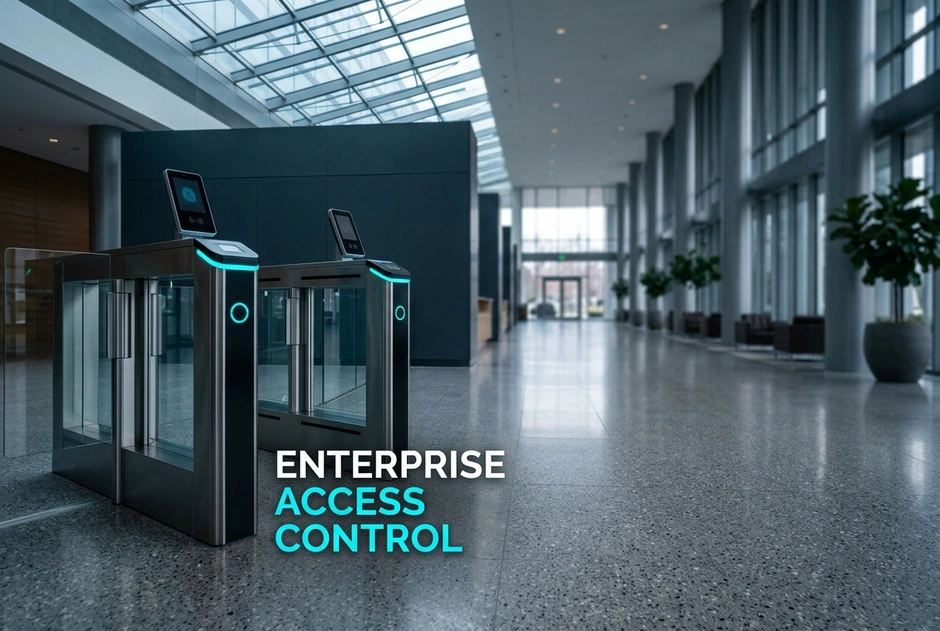
Designing a large system means linking separate sites. Modern systems balance central control with local backup. We use local controllers to store rights. Doors still work if the network goes down. You should use standard cards. But you must also follow local laws. Open platforms connect security tools with HR systems. This keeps rules the same. A good system reduces maintenance costs by 25%.
Many growing firms face issues with split setups. They often buy offices with old systems. This creates security gaps and mixed rules. Managers must log into many portals to cancel one badge. Poor networks make uptime worse. Old systems need constant links to a central server. If the network fails, doors can fail too. This disrupts work. Managers must then update badges by hand. Updates can also break links to readers.
The fix is a unified design. Clear steps help you build a system with 99.9% uptime. This design gives you steady control and strong offline work. It also makes audits easy.
You must plan for state laws during a rollout. For example, Illinois regulates face and finger scans under BIPA. California has strict privacy laws. Your system needs flexible settings. You can delete or hide old logs. Weather also affects your hardware choices. Coasts need readers that resist rust. Cold areas need low-temperature devices. Dusty places need sealed units. City sites need tough, strong devices.
Badges must match the local staff. Tech offices can use mobile keys on phones. Factories may need tough plastic badges. This mix gives everyone a secure entry method. Local languages make hiring easier. This is vital for diverse teams. A modern system offers many language choices.
Network quality varies by area. Remote sites need local controllers. These make choices during outages. Sites with fast links can use real-time cloud checks. A flexible design lets you use both.
High-risk zones need careful biometric door controller planning. You must check user traffic. You must also check template storage. Edge devices check cards in under one second. This stops door delays. It keeps people moving and keeps security tight. It also keeps data safe.
Old brands only solve part of the problem. Some focus on video but lack access tools. Others make badges but use third-party software. Some need complex custom setups. A better path is to use a unified platform. Here, hardware and software work together. Built-in support for controllers simplifies your setup. One platform cuts extra steps by 40% and lowers costs by 20%. Open API tools connect other systems easily.
What Are the Core Pillars of Enterprise Access Control Design?
A great system uses a solid enterprise access control design. Good security relies on three pillars. These are rules, central tools, and tough hardware. Old systems cause a 30% check delay. They also cause 45% more bottlenecks.
Modern systems use a platform that scales. The three pillars are:
- Rules: Use automated access rules.
- Control: Manage all sites from one dashboard.
- Backup: Keep local doors working during outages.
This setup protects assets. It cuts security risks by 40%. It simplifies multi-site control.
How Do You Transition from Legacy to Modern Physical Access Control?
Old setups use separate readers. They need manual updates. This slows down work. You should upgrade to modern physical access control.
- Old System: Separate, card-only hardware with local databases.
- Modern System: Unified, IP-based platforms with real-time policy updates.
Modern platforms combine access, attendance, and video. This speeds up daily work by 50%.
Why is End-to-End Hardware and Software Ownership Critical?
Multi-vendor setups cause issues when updates break links. This creates security gaps and downtime. Matrix COSEC solves this with a single-source system. Our engineers make the full system. This lowers total cost of ownership to improve ROI by 30%. It also gives the system a long life.
The Strategic Takeaway:
A single-source system stops setup headaches. It runs with 99.99% uptime.
Next, we will look at multi-site scaling.
How Do You Plan and Scale Multi Site Access Control?
Managing security across different sites is hard. Offices need smooth entry. Factories need tough hardware. Split systems raise costs by 25%. The answer is to use a unified design. This approach combines central control with local freedom. You can enforce global rules from one dashboard. Branches can still manage daily schedules.
To scale, you need a good multi-site access control setup. Follow this three-step plan:
- Standardize your core software platform.
- Choose flexible hardware for local needs.
- Deploy smart edge devices.
How to Handle Regional Climate and Network Resiliency?
Use the same core software but allow different local hardware. Use weatherproof readers on coasts and tough devices in exposed areas. Use fiber in city offices and cellular backups in remote sites. Keep databases synced to avoid errors. Follow local laws on data privacy.
What is the Role of Edge Controllers in Offline Decision Making?
Relying only on the cloud is risky. Outages can lock staff out. Smart edge controllers hold key data at the door. They make quick, offline decisions during a WAN outage. This keeps doors working.
What This Means for You:
You get steady security, simpler rules, and 30% lower risk. A unified system supports consistent rules, easier audits, and smooth growth.
Step-by-Step Guide: How to Design Your Enterprise Access Control Architecture
How do you scale security to a national network? You need structured planning. Many firms use split systems that fail as they grow. This creates gaps and extra work. A good design solves this. It makes software uniform. It uses smart edge hardware. Start with a single-door pilot. Then, roll out a strong multi-site system. This secures sites and makes compliance easy.
We recommend a three-step method:
- Plan biometric edge devices.
- Standardize secure credentials.
- Unify your security systems.
A good platform combines software and hardware. This cuts complexity by 40% and lowers costs by 15%. It also makes system operation more steady.
Step 1: Conducting Biometric Door Controller Planning
Compare high-security zones with general doors. Choose fingerprint or face scans based on local conditions. Consider lighting, traffic, hygiene, and ease of use. Set up secure sign-up steps. Send templates to edge devices. Follow local laws on privacy.
Step 2: Establishing Access Control Best Practices for Credentials
Check old cards for cloning risk. Move to smart cards or mobile keys. We recommend using access control best practices for all users. Use mobile keys for offices. Use physical badges for factories. Connect with your HR system to remove users quickly.
Step 3: Creating a Unified Physical Security Architecture
Link security with IP video and fire alarms. Set triggers to record video during forced entry. A unified physical security architecture protects your assets. Use API tools to avoid vendor lock-in.
What This Means for You
You get a strong, flexible, and scalable security framework. Next, we discuss how to improve compliance.
How Do You Navigate Regional Compliance and Data Privacy?
Managing rules requires a clear plan. Physical security is more than locking doors. It must meet strict data and cyber rules. Following rules builds trust. A good system respects local laws. It also keeps central control. This protects your brand. It turns rules into a business advantage. You can manage rules easily without losing security.
How to Align with BIS, GDPR, and Local Labor Rules?
To run global sites, follow these steps:
- Map site rules to templates like GDPR.
- Choose hardware that meets NDAA and BIS rules.
- Use AES-256 encryption for all data.
This keeps data safe.
What This Means for Your Security Operations
Built-in compliance cuts risk. It cuts audit times by 50%.
- Old System: Cheap hardware risks cyber attacks.
- Modern System: Secure hardware offers peace of mind.
Central control updates all sites with one click. Matrix COSEC offers low-cost hardware and software. This speeds up your rollout by 35% and lowers costs by 20%. Next, we answer common questions.
How Do You Transition to a Future-Proof Security Architecture?
How do you grow from one door to a national network? You must move from separate hardware to a unified system. Modern design uses edge controllers and central software. This keeps business running. It gives you peace of mind. Central control removes security gaps. It makes compliance with data laws easy. Security becomes an asset, not just a cost. This change lets your firm grow safely. It protects people and assets everywhere. It works well under any network conditions. Pay once, scale later. This is how growing firms build strength.
What This Means for Your Business
Old systems create silos. They raise risk. They waste time and money. A modern, unified platform makes management simple. It lowers your total costs by 25%. This means 60% fewer security breaches and 40% less admin work. Your team can focus on real threats.
Here is how to start your transition today:
- Assess: Audit your current controllers, readers, and wiring.
- Plan: Focus on planning for high-security zones.
- Standardize: Apply uniform rules across all sites.
Your Next Step
Do not let old security hold you back. Talk to a security expert today. An expert will check your current setup. They will help you design a scalable, future-proof roadmap. This ensures your system grows with your business. It keeps you compliant, secure, and ready. Take full control of your security setup now.
Conclusion
Designing modern access control means moving away from split, old systems. A unified setup balances central control with local uptime. Using smart edge controllers keeps your doors working during network outages. This approach simplifies control across all your regional sites. It also helps you meet local privacy rules.
To do this, avoid complex multi-vendor setups. Instead, choose a system with native hardware and software. This design lowers costs by 30%. It simplifies maintenance and achieves 99.9% uptime. It protects assets and cuts risks.
Your best next step is to start a three-step plan. Begin with planning for high-security zones. Next, set rules by moving to secure smart credentials. Finally, combine your access control with video and databases. Start with a pilot to ensure a smooth rollout.
Frequently Asked Questions
Can we use our existing legacy card readers with a new system?
Often, yes. Many platforms work with older readers. They use compatible controllers. This protects past spending. Check wiring and risks before you reuse old devices.
How does a multi-site system handle WAN or internet outages?
A good design keeps doors secure. Smart controllers store local user data at the door. They make decisions and save events during outages. They sync logs when the network returns.
What is the benefit of integrating access control with Time-Attendance software?
Linking systems connects door events with attendance. This cuts timesheet errors by 90% and makes audits easy. It supports rules like grace periods and shift checks. This simplifies payroll. It shows who was on site.
How do we ensure biometric data privacy compliance across different states?
Biometric setups must focus on privacy from day one. Follow rules like clear consent. Apply state rules for notice, storage, and deletion. Limit who can see data. Keep logs.