Punch clocks, manual registers, and isolated door controllers work in silos. Data is scattered, so you struggle to answer simple questions: who is inside, where are they, and for how long.
The result is predictable: payroll disputes, buddy punching, weak perimeter control, and compliance gaps that make audits slow and painful. Each new site adds more complexity, not more clarity.
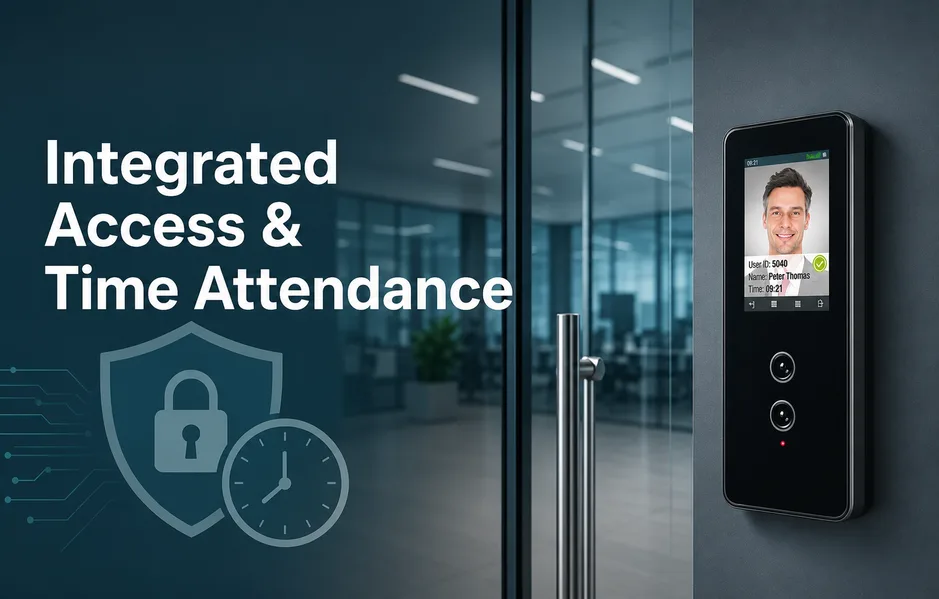
An integrated time attendance with access control platform creates a single source of truth. One identity, one rule set, and one real-time view across every plant, office, and depot. Security tightens, exceptions drop, and records are always audit ready.
Matrix is one example of an ecosystem that combines time-attendance, access control, ANPR, and weighbridge integration on a unified backbone.
This guide explains how to deploy time attendance system capabilities at scale, from pilot to nationwide rollout.
What Is Integrated Time Attendance With Access Control?
Old tools record time in one place and doors in another. Data never fully lines up, so risk, cost, and effort stay high.
An integrated time attendance with access control platform connects three layers on one backbone:
- Biometric and card devices at doors and gates
- Door controllers and readers across sites
- Workforce management software with a central rules engine
It uses one identity per person, one shared rule set, and one set of compliance-ready reports across every location.
| Aspect | Old Fragmented Setup | Integrated Time & Attendance + Access |
| Visibility of people on-site | Separate punch clocks and door controllers create blind spots in who is present. | Single, real-time view of who is on-site, where they are, and when they arrived or left across locations. |
| Security & access control | Weak perimeter control, inconsistent access rights, and unauthorized entry risks. | Tighter security with aligned access zones, roles, and time windows that follow shifts. |
| Payroll & attendance accuracy | Manual timesheets, buddy punching, and frequent payroll disputes. | Reduced buddy punching, fewer payroll disputes, and correct totals flowing into payroll. |
| Compliance & audits | Compliance gaps make audits slow and painful. | Audit-ready records that support labor laws, internal policies, and data retention rules. |
| System management | Disconnected door, attendance, and payroll systems that require duplicate setup. | One platform and identity store that minimize duplication and configuration drift. |
This means fewer blind spots, consistent rule enforcement, and records that stand up to nationwide scrutiny.
Matrix follows this unified design across time-attendance, access control, ANPR, and weighbridge links, which helps keep the whole stack always on.
How Does This Ecosystem Work In Practice?
- HR enrolls an employee once, including biometrics or other credentials.
- The same identity opens doors and records attendance at any enrolled site.
- Devices send events to a central platform that applies one rules engine for shifts, access zones, overtime, and approvals.
- Approved summaries then flow into HR and payroll systems for accurate wage calculation.
Matrix designs hardware, controllers, and software as one integrated ecosystem, so doors, attendance, and compliance reporting work together every day.
How Do You Define Goals, Scope, And Compliance Needs?
Planning is step one in how to deploy time attendance system projects that work. If you skip it, you hard‑wire today’s problems into tomorrow’s platform.
Start with a kickoff workshop that brings together:
- HR and payroll
- IT and security
- Operations and compliance, plus an executive sponsor
Use this session to:
- Agree on outcomes like stronger security, better productivity, and clean audits.
- Set success metrics such as fewer payroll disputes or reduced unauthorized access.
- Clarify how each team will use the system in daily decisions.
Capture the current reality across sites:
- Manual timesheets and buddy punching.
- Inconsistent access rights and disconnected door, attendance, and payroll systems.
- Different operating models such as shift plants, 24/7 facilities, logistics hubs, and low‑connectivity locations.
Translate labor laws and internal policies into system rules for overtime, breaks, wages, leave, holidays, audit reports, data retention, biometric consent, and role‑based access. Record constraints like connectivity, languages, union agreements, seasonal peaks, and data residency expectations.
Matrix experts can run a focused requirements workshop that aligns these needs with a single platform.
| Planning Area | Questions To Ask | Typical Outputs |
| Stakeholders & ownership | Who must live with the system daily, and who will sponsor it? | List of HR, payroll, IT, security, operations, compliance, and an executive sponsor. |
| Objectives & success metrics | What outcomes matter most, and how will you measure them? | Documented goals such as stronger security, higher productivity, better employee experience, and fewer payroll disputes. |
| Current pain points | Where do manual work, errors, or blind spots appear today? | Inventory of manual timesheets, buddy punching, inconsistent access rights, and disconnected systems. |
| Operating models | How do different sites and facilities actually run? | Map of shift plants, 24/7 facilities, logistics hubs, multi‑site networks, and low‑connectivity locations. |
| Compliance & policies | Which laws and internal rules must the system enforce? | Requirements for overtime, breaks, wages, leave, holidays, audit reports, data retention, biometric consent, and role‑based access. |
| Constraints & phasing | What limits design and what should go first? | Phase‑one scope plus constraints like connectivity, languages, union agreements, seasonal peaks, and data residency expectations. |
What This Means For You At The Planning Stage
If you rush discovery, you invite rework, user resistance, and slow adoption. Clear goals, use cases, and constraints cut project risk and speed rollout.
Choose platforms that map cleanly to your policies, labor rules, and audit needs across all locations. Then you can scale once, instead of fixing gaps site by site.
How Should You Design The System Architecture And Hardware Mix?
Old setup: devices bolted to walls, each working alone.
Modern architecture: a live map of how people, doors, and data interact across every site.
You decide how to deploy time attendance system components by looking at risk, skills, and connectivity, not just hardware prices.
| Decision Area | Options | Best When | Key Risks If Misaligned |
| Deployment model | Cloud | Many distributed sites and limited IT staff, with stable connectivity for central control and analytics. | Outages or poor links disrupt administration and delay insights across locations. |
| Deployment model | On‑premise | Regulations, union rules, or policies require data to stay inside your network. | Lack of in‑house skills leads to weak maintenance and slower updates. |
| Deployment model | Hybrid | You need central management plus local continuity at rural plants or remote depots. | Poor edge design can stop doors and attendance from working during link failures. |
| Credentials | Biometrics (finger, face, palm/vein) | High‑assurance or restricted areas that demand strong identity proof. | Using weak methods in high‑risk zones invites misuse and buddy punching. |
| Credentials | RFID/smart cards, PINs | Standard offices and shared spaces with routine traffic. | Cards or PINs alone can be shared or lost, reducing accountability. |
| Credentials | Mobile IDs (QR, BLE, NFC) | Contractors and flexible workforces that change often. | Inconsistent support or policies can confuse users and slow adoption. |
How Do You Match Credentials To Risk Zones?
Start with the risk level at each door.
- Use biometrics or multi‑factor for labs, data centers, and cash rooms.
- Assign cards or PINs to standard offices and shared spaces.
- Give mobile IDs to contractors or mobile staff who move between sites.
- In dusty or glove‑heavy shop floors, favor simpler modes that stay reliable.
With a platform like Matrix, you can mix biometrics, cards, and mobile IDs across locations from one console, instead of juggling separate systems.
Plan controllers and networks just as carefully. Define doors per controller, isolate sensitive zones, and specify PoE, VLANs, encryption, redundancy, and secure remote access. Matrix controllers provide an enterprise‑grade backbone, so you can validate your design through a reference architecture or demo before you scale.
How Do You Configure Time, Attendance, And Access Policies?
Configuration is where an integrated time attendance with access control project succeeds or fails. If rules are vague, you get disputes, manual fixes, and weak security.
Start by mapping every shift pattern you run:
- Fixed and rotating shifts
- Flexible hours
- Night shifts that cross midnight
- 24/7 rosters
- On-call duty
Encode each pattern with clear rules for shift length, paid and unpaid breaks, overtime eligibility, and grace periods for early or late punches. Then test edge cases like back-to-back shifts, split shifts, and public-holiday work so payroll totals stay accurate.
Align access with how people work, not just where doors are. Tie roles and shifts to access zones so permissions follow schedules automatically. For example, limit:
- Pharmacy or medicine rooms to licensed staff on active shifts
- Server rooms to IT and approved vendors in defined windows
- Cash rooms to finance or store managers during reconciliation
Plan how you will handle exceptions. Define workflows for missed punches, manual corrections, shift swaps, and overtime approvals, with SLAs and escalation paths. Use role-based administration so no one can edit and approve their own records, and keep a full audit trail.
Matrix applies one identity store and rules engine across time-attendance and access control, which helps prevent configuration drift as you scale.
| Policy Area | What To Configure | Why It Matters |
| Shifts and schedules | Fixed, rotating, flexible, night shifts crossing midnight, 24/7 rosters, and on-call duty with clear parameters. | Accurate time capture and pay calculations across varied working patterns and locations. |
| Attendance rules | Shift length, paid and unpaid breaks, overtime eligibility, and grace periods for early or late punches. | Reduces payroll disputes and supports consistent, audit-ready enforcement of labor rules. |
| Edge cases | Back-to-back shifts, split shifts, and public-holiday work. | Ensures totals flow correctly into payroll even in complex scenarios. |
| Exception handling | Late arrivals, early departures, missing punches, no-shows, and manual corrections with approvals. | Avoids ad-hoc decisions and keeps treatment of employees fair and consistent. |
| Access rights | Role-based access zones and time windows tied to shifts and locations. | Door permissions follow schedules automatically, reducing unauthorized entry. |
| Special areas | Rules for pharmacy or medicine rooms, server rooms, and cash rooms. | Protects high-risk zones that demand tighter control and traceability. |
| Administration and audits | Role-based administration, approval separation, and audit trails across time-attendance and access control. | Prevents conflicts of interest and supports compliance and internal policy reviews. |
What This Means For Daily Operations
Well-tuned rules mean fewer payroll disputes, faster approvals, and predictable handling of exceptions. Supervisors spend less time fixing errors and more time managing teams.
Consistent policies also make audits simpler, because every change and override is tracked. With a platform like Matrix, HR, security, and operations can all manage rules without deep technical skills, which makes it easier to deploy a time attendance system nationwide.
How Should You Integrate With HR, Payroll, And Other Systems?
Disconnected tools create double entry, access gaps, and payroll disputes. To get full value, you need clean, reliable data flows.
Use a simple rule: HR holds the truth for people and structures. Time-attendance and access control consume that truth and return verified work data.
- Use integration methods that match your IT maturity:
- Open APIs for real-time sync
- Secure file exchanges for batch updates
- Middleware where many systems must connect
- Define core flows:
- Employee master data and org charts from HR into time-attendance and access control
- Approved attendance, overtime, and leave summaries back into payroll
| System Pair | Data Flow Direction | Key Data | Owner |
| HRMS → Time-attendance | HR to time-attendance | Employee master data and organizational structures | HR / HRMS team |
| Time-attendance → Payroll | Time-attendance to payroll | Approved attendance, overtime, and leave summaries | Payroll team |
| HRMS → Access control | HR to access control | Identities, roles, and cost centers | HR / HRMS team |
| Time-attendance & access control → Compliance / audit | Internal systems to auditors | Audit-ready reports and data retention records | Compliance team |
| Time-attendance & access control → Video surveillance / ANPR | People and vehicle data into monitoring layer | Correlated people, vehicle, and material movements | Security / operations |
| Weighbridge systems → Monitoring layer | Weighbridge to integrated monitoring | Material movement data linked to identities and vehicles | Operations team |
For logistics and industrial sites, extend this model to video, ANPR, and weighbridge systems so people, vehicles, and materials are tracked together.
Plan identities carefully. Standardize unique IDs across HR, payroll, time-attendance, access control, and visitor or contractor records so updates flow cleanly.
Build and test integrations in a controlled environment. Cover new hires, transfers, role changes, terminations, and garden leave so access and pay always match reality.
Protect every link with encryption, strong API authentication, least-privilege rights, and logging that matches legal and internal retention policies. Monitor for failed syncs, unusual overtime, and duplicate profiles.
This leads to fewer disputes, fewer surprises at the door, and records that stand up to audit. A technical consultation with Matrix can help you review patterns, security controls, and migration steps before you roll out nationwide.
What This Means For Accuracy And Compliance
When data flows cleanly between HR, payroll, and access control, errors drop. Leavers lose access on time, movers keep the right rights, and payroll reflects actual work.
Regulators expect traceable, consistent records across systems. Look for platforms that are open, standards-based, and built with compliance and audit trails at the core.
How Do You Deploy, Train Users, And Manage Change?
Rolling out integrated time attendance with access control is a change project, not just an IT swap. Success depends on clear ownership, communication, and user-friendly journeys.
- Start with a pilot at a representative site.
- Set success criteria: adoption, data accuracy, and incident trends.
- Gather feedback from employees, supervisors, and admins, then refine policies, device placement, and enrollment flows.
Expand in phases by region or business unit. Use a repeatable playbook, but allow for local labor rules and practices.
Provide role-based training:
- Employees: how to punch, fix mistakes, and know their rights.
- Supervisors: approvals, exceptions, and basic reports.
- Administrators: configuration, monitoring, and troubleshooting.
Explain biometric privacy in plain language. Show how templates are captured, encrypted, stored, and used only for authentication, with consent where required.
After go-live, track KPIs like payroll accuracy, buddy punching reduction, and fewer access incidents. Tune rules and alerts, and give low-connectivity sites offline-capable devices. Use short guides, FAQs, and videos for ongoing support. Matrix can assist with planning, training, and continuous optimization nationwide.
What This Means For User Adoption
Simple, well-explained journeys reduce resistance to biometrics and new routines. Involving users early surfaces practical issues before you scale. Treat the rollout as a formal change program so people, process, and technology move together.
Frequently Asked Questions
What is an integrated time attendance system with access control?
An integrated time attendance system with access control is a single platform that manages who can enter which areas and when they work. It uses shared identities so each person has one profile for doors, schedules, and time tracking. Centralized rules control shifts, overtime, and access rights. This cuts duplicate data, improves security, and gives clearer insight into workforce activity.
How do I decide between cloud, on-premise, and hybrid deployment?
Start by mapping your sites, network links, and local IT skills. Cloud suits many locations, limited IT staff, and frequent remote access. On-premise fits strict data rules, weak internet, or heavy integration with local systems. Hybrid can keep critical control on site while using cloud for reporting and mobile tools. Always confirm data protection and uptime needs before you choose.
Can I mix biometrics, cards, and mobile credentials in one deployment?
Yes, most modern access control platforms support multiple credential types in one system. You can use fingerprint or face for high risk doors, cards for general offices, and mobile credentials for visitors or managers. Each user can hold several credentials tied to one identity. This lets you balance security, user comfort, and cost per site and per door.
How does integration with HR and payroll reduce errors?
Integration links HR, time attendance, and payroll around one shared set of employee records. When HR updates a hire, transfer, or termination, access rights and time profiles change automatically. Schedules, overtime rules, and pay codes flow into payroll without retyping data. This reduces missed punches, wrong pay rates, and manual fixes, and it speeds up payroll close each period.
What Is The Best Next Step For Your Deployment?
Fragmented clocks and door controllers hide risk. An integrated time attendance with access control setup gives one live view of who is on site, where, and when.
Start simple: align HR, payroll, IT, security, and operations around clear goals. Then design your architecture, configure policies, integrate HR and payroll, pilot in one location, and scale.
Run a structured requirements and design workshop. Review your current landscape and benchmark it against engineering-led, compliant platforms such as Matrix.
Conclusion
Deploying integrated time attendance with access control is about one thing: a single, reliable view of people, places, and time. When identities, devices, and rules sit on one backbone, payroll becomes cleaner, security tighter, and audits faster. You avoid duplicate setup, blind spots, and the rework that comes from fragmented tools.
The most practical next step is structured planning. Run a cross‑functional workshop, define outcomes and metrics, map current pain points, and translate laws and policies into system rules. From there, design the right mix of cloud or on‑premise, devices, and credentials, then encode shifts, access zones, and exception workflows. With that foundation, you can scale an integrated platform confidently across every site.