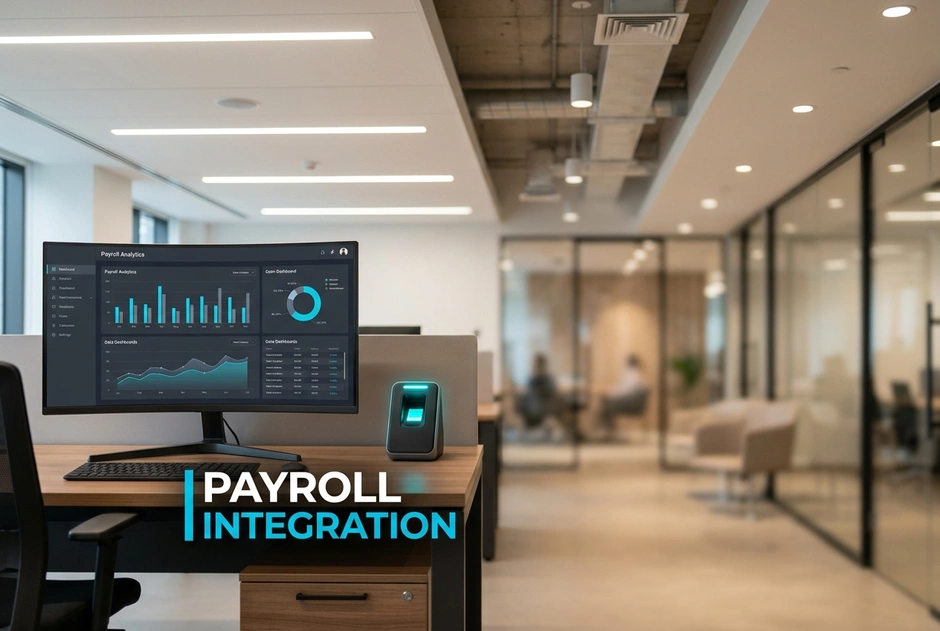
Manual data entry leads to costly mistakes and administrative fatigue. Relying on disconnected spreadsheets means your business likely overpays for unworked hours. Without automatic syncing, you risk severe wage penalties under strict state labor laws. These financial leaks quietly drain your revenue. They also put your organization at legal risk.
Good payroll integration connects time tracking with financial systems. This guide provides a step-by-step roadmap to build a secure, automatic link. We will show you how to simplify your work and protect your profits. Let us look at the financial risks of manual tracking now.
Why Do Manual Payroll Exports Cost Your Business Thousands?
Typing data from paper or spreadsheets causes easy mistakes. Every extra keystroke can lead to an error. HR teams spend days every month fixing these issues. Modern software stops double entry and keeps data in one place. This saves time and makes payroll costs predictable.
How does buddy punching drain your bottom line?
Time theft happens when workers clock in for absent friends. This buddy punching raises labor costs. Biometric systems check that the right person is at work. They use unique physical traits to stop this theft. Linking these tools to payroll reduces manual edits and disputes.
What are the legal risks of inaccurate time tracking under wage and hour laws?
Labor laws require accurate records of hours and pay. Bad tracking leads to wrong pay and missed overtime. This can cause audits, back pay claims, and lawsuits. You must also follow privacy rules for biometric data. This includes getting clear consent from workers.
What This Means for You: Moving to connected software lowers errors and admin work. A good integration standardizes your processes. It also helps you stay compliant across all locations.
How Do You Choose the Right Payroll Integration Software?
Choose software that syncs data automatically. Avoid manual file exports. This keeps your attendance and payroll systems updated in real time. Make sure the system can handle complex shifts and many locations.
To choose correctly, follow these three steps:
- Look for well-supported APIs to avoid custom coding later.
- Make sure the platform grows with your staff and sites.
- Choose unified systems where hardware and software work together.
This choice cuts errors and repetitive admin tasks. It supports biometric tools to stop buddy punching. A good platform links devices and software into one reliable flow. This controls your costs over time.
Why is an end-to-end technology stack safer than fragmented hardware?
Broken systems use many vendors and extra software to sync. Each extra link can cause data gaps and security risks. An end-to-end system is much safer. Its parts are built to work together. This unified model protects sensitive employee data.
How do compliance standards like BIPA and GDPR impact your choice?
Privacy laws like BIPA and GDPR require strict consent. Your software must encrypt biometric data. It should never store raw fingerprints or facial images. Choose vendors that follow these global and regional rules.
Step-by-Step: How to Set Up Payroll Integration with Attendance Software?
Start your integration with clean employee data. Check your databases first. Make sure employee IDs match in both systems. This stops errors and delays when you launch.
Unlike legacy workflows, modern systems sync data automatically.
- Old System: Manual spreadsheets, high error rates, slow processing.
- Modern System: Automatic synchronization, real-time data, lower duplication risk.
What this means for you: A clear plan ensures a smooth launch. This saves time and lowers compliance risks. Most platforms offer standard APIs. These tools remove the need for custom software. Clean data also cuts down on manual fixes.
Step 1: How do you configure shift rules and overtime policies?
First, enter your core rules. Set up shift schedules, grace periods, and breaks. Next, set up your overtime rules. Make sure the system calculates daily and weekly overtime by law. This is vital in states like California. Then, build workflows for missed punches. Managers should get clear alerts to approve these errors. Modern software routes these tasks automatically.
Step 2: How do you map biometric data fields to your payroll platform?
Map the unique ID from your biometric system to the payroll ID. Next, set up your pay codes. Map regular hours, overtime, and sick leave to the right codes. Then, secure the connection. Use encrypted files or secure APIs to link the data. This protects privacy and avoids manual CSV files. Many vendors offer prebuilt tools to make this easy.
Step 3: How do you test and automate the data sync?
Run parallel tests before going live. Process one payroll cycle with both the old and new systems. Compare the pay of each worker to check for errors. Next, schedule automatic syncs. Send approved data to payroll at the end of each period. Finally, turn on audit logs. Track who changed or approved any records.
What Real-World Business Outcomes Should You Expect?
Manual entry wastes time and causes errors. Modern integration software reduces these issues. Automatic data flows cut down on mistakes and make reviews easy.
Workers benefit from clear time tracking. When you track hours consistently, pay becomes predictable. This also helps you follow FLSA and state wage laws. This includes meal and rest break rules.
What This Means for You: Automated processing frees up your HR team. They can spend less time on data entry. Instead, they can focus on planning. Modern tools connect your systems to make this easy.
How does automated integration streamline multi-location logistics and healthcare?
- Centralized management: Track attendance across many warehouses or clinics from one dashboard.
- Complex shift handling: Set rules for rotating shifts and on-call work to apply them fairly.
- Real-time visibility: See labor hours across all locations quickly to make better choices.
What is the true ROI of eliminating payroll leakages?
- Direct financial impact: Stopping buddy punching reduces pay for unworked hours.
- Reduced administrative effort: Fewer manual checks mean lower daily costs.
- Long-term value: Integrated software avoids the need for custom builds and extra maintenance.
Frequently Asked Questions
How long does payroll integration take?
Setting up integration takes only a few days with native APIs. Complex setups with many locations may take two to four weeks. Matrix Comsec offers ready-to-use APIs to speed up this work.
Can biometrics integrate with legacy payroll?
Yes, biometric systems can link with older payroll software. Modern systems use direct APIs. However, advanced software can also export secure CSV or XML files. These files match legacy formats to avoid manual entry.
How are employee privacy concerns handled?
Handle privacy by getting written consent and being open with staff. Choose biometric systems that store encrypted templates instead of raw images. This builds trust while stopping time theft and buddy punching.
What happens if the internet disconnects?
Biometric hardware stores logs in its internal memory if the internet goes down. The device syncs this data once the connection returns. This prevents data loss and keeps payroll accurate without manual work.
Why Is Payroll Integration Crucial Now?
Manual data entry leaks money and brings fines. Modern payroll integration software is now a necessity. It stops financial leaks. Secure biometric systems stop buddy punching and keep you compliant.
What this means for your business: Look at your current workflows. Partnering with a provider like Matrix Comsec secures your business. It also lowers risks and simplifies workforce management.
Conclusion
Manual tracking drains your profits and risks big fines. Payroll integration software is the best way to secure your business. Start your integration today to protect your profits.