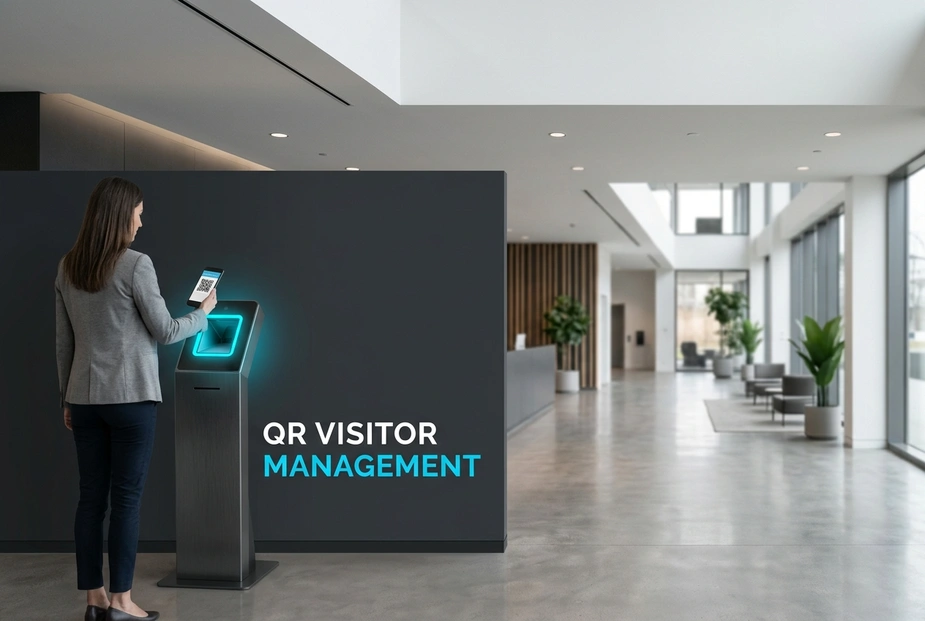
A smart lobby system keeps your building safe. Self-service tools make check-ins fast and simple. These tools help you meet safety rules. They also make visits better.
Paper logs and manual desks cause safety risks. They also cause delays. Long lines and human errors waste time. They raise the risk of broken rules. Lobbies become open to bad entry. This creates gaps in safety. It also hurts guest privacy.
Firms can deploy a QR code visitor management system for office to secure their entry points. This makes lobby work smooth. It strengthens physical safety. It replaces slow paper logs with fast digital flows. Automation causes a 50% bottleneck reduction. It also improves front desk tasks.
Let us compare the two options:
- Old System: Slow paper logs, manual badge prints, and unverified guest names.
- Modern System: Instant digital checks, automated rule runs, and real-time host alerts.
Modern lobby setups must adapt to different needs. Some sites need tools that check codes offline. Other sites need screens in different tongues. This helps guests fill out forms in their own language. These features keep hospitals, schools, and offices run well.
To transition fast, offices should follow three steps:
- Study lobby traffic and find security bottlenecks.
- Select visitor management software that supports digital check-ins.
- Set up easy-to-use kiosks with clear instructions.
This change cuts work. It also lowers safety risks. A unified setup connects locks, records, and alerts. When entry tools, video systems, and phone systems work together, safety rules are easy to manage.
Why Do Old Lobby Desks Fail Today?
Manual desks struggle with changing visitor counts. This causes crowded lobbies and late meetings. Paper logs expose private guest details to anyone. This breaks basic privacy rules.
What Are the Hidden Costs of Paper Logs?
- Hard work: Staff spend too much time typing guest details. They cannot focus on key security tasks. This causes a 35% productivity loss.
- Compliance risks: Poor logs lead to non-compliance with OSHA and state rules.
How Do Paper Logs Hurt Safety?
- No real-time view: Security teams cannot see who is in the building during an escape.
- No proof: Paper logs rely on the honor system. Visitors can easily write down fake names or codes.
Manual work creates safety risks. It also creates extra tasks. You can easily automate these jobs today. Upgrading to an automated setup solves this issue. Let us see how self-service devices fix these problems.
How Does Modern Security Upgrade Lobbies?
A self-service setup turns your lobby into a secure entry point. The automated platform manages the check-in process. This helps you standardize visitor logs across all your buildings.
What Does the Touchless Guest Journey Look Like?
- Step one: Hosts invite guests online. They send a unique code by email.
- Step two: Visitors scan their code at the touchless check-in kiosk to start check-in.
- Step three: The host gets an instant alert by email or text. This ends the need for phone calls.
Why Are Code Passes Better Than Badges?
- No contact: Guests do not touch shared surfaces. They do not collect plastic badges. They do not wait in lines.
- Fast control: QR codes can expire after a set time. Integrating QR code access control helps you revoke passes instantly. This stops bad re-entry.
You can cut wait times. You can also keep a complete digital record. This setup creates a secure visit for modern offices.
To secure lobbies, your platform must link with other tools. A digital kiosk needs robust software. This software balances simple guest flows with strong safety controls. Choosing a platform with good hardware links ensures long-term use.
How Do You Meet Privacy Laws Across States?
Different state rules on privacy require flexible software.
- Central controls allow custom flows. These can align with regional laws like the CCPA.
- Secure data retention features can delete or hide guest data after a set period. This keeps you ready for audits.
Why Is Offline Code Check Critical for Remote Sites?
Network links can fail. Some sites face poor web connection. This can disrupt cloud-only systems.
- Local software allows hardware to check passes on the device.
- This ensures lobby work and safety continue during network outages. It guarantees 99.9% system uptime.
A unified platform keeps lobbies secure at all sites. Next, we will see how to set up these tools.
How Do You Setup Secure Entrances?
Setting up a secure entrance requires planning. You must balance safety with a good guest visit. A good rollout keeps your lobby secure. It also allows easy entry for guests.
How Do You Tailor Kiosks for All Users?
- Languages: Set up your kiosks with local language options. These can include English and Spanish.
- Simple screens: Keep on-screen instructions simple and visual. This helps people check in without help.
How Do You Connect Kiosks to Your Security System?
A unified setup avoids messy setups. Modern visitor software connects visitor data with locks, badge printers, and door controllers. Many platforms also link with IP cameras and logs.
This turns your kiosk into an active security asset. It triggers access rights, alerts hosts, and records visits. This simplifies work, reduces risks, and saves time. It leads to a 20% cost reduction. Next, let us explore how to make these workflows better.
FAQs
Offline use?
Yes, a modern system can work offline. Local tools check passes at the edge. This ensures safety and smooth check-ins. It works even during local network outages.
Host alerts?
When a guest scans their pass, the system alerts the host. The software sends an SMS, email, or push note. This speeds up lobby flows. It also ends manual tasks.
Data security?
Yes. Large-scale software has custom data rules and encryption. These tools help office buildings comply with CCPA, GDPR, and other rules. They protect private data. They also keep accurate logs for safety compliance.
Matrix difference?
Matrix COSEC provides a deeply linked solution. We unify guest flows, locks, and video into one platform. Our software simplifies setup with highly reliable local hardware.
How Do You Transition to Modern Lobby Security?
Upgrading to a self-service system secures your entrances. Old paper logs are slow and messy. They fail to prove identities. They also fail to meet compliance rules. An automated kiosk solves this problem. It replaces manual desks with digital workflows. This change simplifies work, cuts risk, and keeps clean records.
Old Manual System vs. Modern Automated System:
- Manual logs: Slow, weak, and prone to mistakes.
- QR kiosks: Fast, secure, and fully compliant across all states.
What This Means for Your Business:
You reduce lobby friction. You secure customer data. You also keep safety compliance across all your sites.
To transition your building, follow three simple steps:
- Assess regional compliance and language needs.
- Deploy robust, NDAA compliant hardware.
- Integrate visitor software with access control.
Matrix COSEC provides a deeply linked, NDAA compliant solution. This platform is built for always-on environments. Contact a Matrix COSEC advisor today to design your workflow.
Conclusion
Paper logs create safety blind spots. They also slow down your staff. Upgrading to a modern platform solves these problems. Using digital keys and self-service kiosks secures your lobby. This change ends manual work. It ensures compliance and improves guest visits. Deploying a modern visitor management system improves lobby security, and a QR code visitor management system makes check-ins fast.
To start this transition, you must take three steps. First, assess lobby traffic and local rules. Next, select a secure software platform. Finally, set up easy kiosks that link with your locks. This ensures 99% data precision for all visitor logs.
Ready to change your front desk? Contact an advisor to design your setup today.