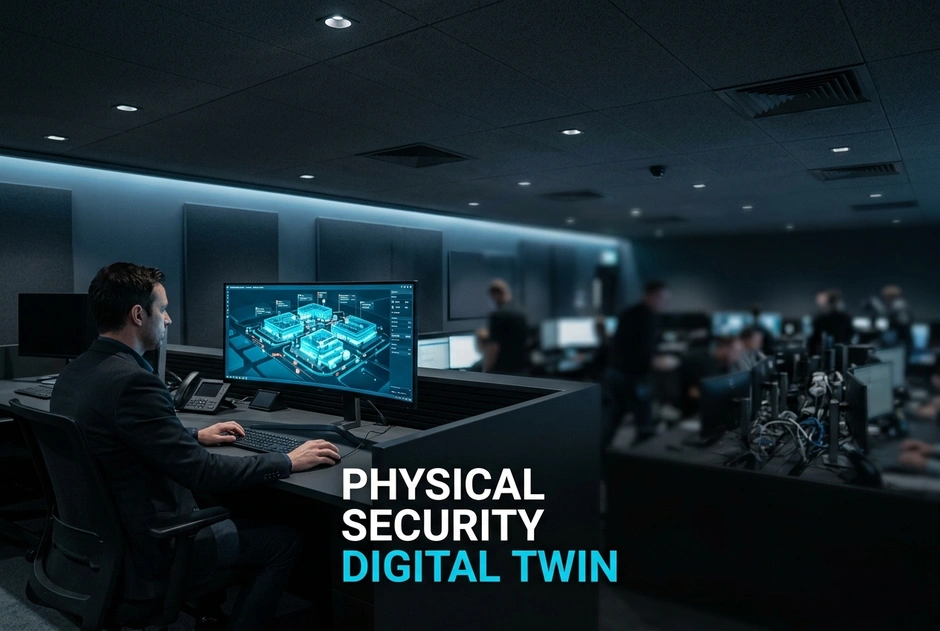
Modern enterprise security centers face huge operational challenges from split tools. Security teams constantly juggle separate video software, door panels, and disconnected alarm feeds.
Why does this multi-screen blindspot present a major security risk?
- Critical response delays happen during active security incidents across distant facilities.
- Bad alarm fatigue sets in from handling hundreds of unverified alerts each day.
- Major blindspots emerge when managing sites across state lines and time zones.
When an alarm triggers, guards must manually find camera feeds and match door logs. This extra friction wastes precious minutes while security threats grow fast. Outdated tools leave teams blind during critical events.
Using an operational physical security digital twin fixes this visibility problem. This tech merges live video feeds, access events, and sensors into one visual model. Instead of checking many screens, guards view all site events on one central map.
What This Means for You:
- Fast event links drastically cut incident search times.
- Clear maps remove blind spots across facilities nationwide.
- Central control makes meeting state and federal security rules easy.
Moving to a single platform turns passive watching into active threat control. Next, we look at the steps needed to join your hardware, software, and sensors.
What Is a Physical Security Digital Twin and Why Does Enterprise Security Need One?
A physical security digital twin is a live 2D or 3D visual map of your facility. It combines telemetry from video surveillance, access control, and alarm panels onto one map. Security teams need this unified view to stay proactive. When an incident occurs, guards instantly see the physical location with matching video feeds and door states.
Legacy security setups force guards to switch between separate software apps during emergencies. This friction creates bad blind spots across multi-site setups and delays response times. Combining live telemetry into one command center lets security teams verify threats fast. They can run set response plans across all facilities.
How Does a Digital Twin Differ From Traditional Siloed Monitoring?
Traditional security management relies on separate systems. Camera software, door controllers, and alarm panels operate on their own. Guards must cross-reference data manually when alarms trigger.
- Old Siloed System:
- Disjointed camera streams spread across many screens.
- Separate door logs saved in isolated databases.
- High reliance on human guessing during high-stress events.
- Modern Unified Platform:
- Integrated video and access tracking on one interactive map.
- Automated event links connecting user badges, doors, and video feeds.
- Clear security visuals for rapid emergency action.
This unified view removes operator doubt during crisis moments. Security guards act on real-time facts rather than searching through split tools.
What Business Value Does a Real-Time Security Dashboard Deliver?
Deploying a real-time security dashboard provides key financial and operational perks for complex sites:
- Reduced MTTD and MTTR: Lowers mean time to detect and respond by showing linked alerts instantly.
- Simplified Audit Reporting: Automatically creates time-matched logs for rules like NERC CIP and CJIS.
- Lower Total Cost of Ownership: Simplifies hardware setups, cuts software license costs, and eases ongoing maintenance.
What This Means for You: Moving to a single operational view improves security across all sites. You cut risk, meet rules easily, and give guards full control over operations.
Next, we explore how to link your hardware and cloud software into one live platform.
How Do You Link Video Surveillance, Access Control, and Alarms Into One Live View?
Linking video surveillance, access control, and alarms into one view requires combining data streams. Modern software uses middleware and open APIs to pull data from cameras, readers, and door sensors. This data routes into one command center interface. The system maps device spots onto an interactive site map. When a door sensor trips an alarm, the system overlays live video with badge logs. Guards get instant visual context on one screen without switching tools.
Here is the step-by-step process for unifying security data:
- Collect camera video feeds and sensor telemetry over IP networks.
- Standardize different event rules using open formats.
- Map device endpoints onto interactive digital floor plans.
- Apply automatic rules to link alarms directly to video feeds.
How Does Access Control Event Correlation Turn Raw Data Into Context?
Raw logs show card swipes, but they lack full context. A badge scan shows who unlocked a door. It cannot prove who actually walked inside. Access control event correlation fixes this gap by tying badge scans directly to live video streams.
When an unauthorized entry attempt happens, live video pops up instantly.
- Tailgating Detection: Analytics flag extra entry attempts on one valid badge scan.
- Credential Verification: Guards compare stored card photos with live camera views to stop card sharing.
- Instant Alarm Context: Forced door alarms automatically bring up real-time video clips for rapid response.
What This Means for You: Linking user IDs with video feeds removes guesswork during site security breaches. Matrix delivers native event correlation across access hardware and cameras. You resolve incidents faster while maintaining compliance across facilities.
What Role Do Open APIs and Middleware Play in Unifying Legacy Hardware?
Many companies manage older hardware across multi-state facilities. Replacing 20-year-old door controllers or analog encoders costs too much money. Open standards like ONVIF and PSIA bridge this gap. Standard REST APIs let middleware talk to old hardware and modern platforms alike.
- Old System vs. Modern System:
- Old System: Isolated panels, custom code, and high maintenance costs.
- Modern System: Standard REST APIs, native drivers, and easy expansion.
Enterprise buyers should look for unified hardware and software products. Native setup avoids multi-vendor clutter and complex software fees. Pay once and expand later.
What This Means for You: Open APIs let you update older systems without replacing working hardware. Choosing a physical security digital twin from Matrix simplifies site views and protects past investments.
Next, we examine how AI analytics improve live site monitoring.
What Are the Core Architectural Layers of a Unified Security Command Center?
A unified security command center relies on three core layers to build a physical security digital twin. First, the physical edge layer gathers data using IP cameras, door controllers, sensors, and smart alarms. Second, the integration layer normalizes feeds using open APIs and common protocols. Third, the visualization layer displays active events on one shared interface.
Disconnects between split tools cause dangerous blind spots during critical events. Managing separate systems increases response times, delays threat checks, and raises costs.
Linking these three layers into one system turns raw data into actionable context.
Core components powering this framework include:
- Edge devices processing events locally.
- Middleware unifying cross-system protocols.
- Dashboards mapping real-time alerts visually.
Why Is Edge Computing Critical for Always-On Mission-Critical Reliability?
Network drops can blind traditional central systems. When network connectivity fails, remote servers lose control over local doors and live video streams.
Edge computing fixes this flaw by putting processing power directly inside IP cameras and door controllers. Local hardware handles access decisions, saves video clips, and checks alarm triggers on its own.
Key advantages of edge architecture include:
- Local Decision-Making: Access panels grant entry even during network outages.
- Zero Data Loss: Onboard storage buffers video clips until network connections return.
- Faster Processing: Edge analytics check security events instantly with zero delay.
Enterprise setups require maximum uptime. Using hardware with Mean Time Between Failures (MTBF) over 100,000 hours prevents unexpected outages. This reliability ensures uninterrupted round-the-clock operations across all facilities.
Old System vs. Modern System:
- Old System: Central server dependency causes site lockouts during network drops.
- Modern System: Autonomous edge devices maintain full security during network drops.
How Does Enterprise Security Visualization Integrate Interactive Site Maps?
Managing multi-site facilities using plain text lists slows down operator response times. Enterprise security visualization solves this problem by mapping hardware onto interactive floorplans.
Modern software places access doors, camera view cones, and alarm sensors directly onto live site maps. Guards click an active alarm icon to view connected video feeds and verify threats fast.
Step-by-Step Interactive Map Workflow:
- Sensor Detection: An alarm trips or a door forces open.
- Visual Highlight: The interactive floorplan highlights the area in red.
- Contextual Verification: Operators open live video cones linked to that door.
- Action Execution: Security guards lock down doors remotely.
This workflow creates a practical digital twin for complex sites and multi-state operations.
What This Means for You: Combining edge devices with unified maps transforms complex data into clear visual insights. Matrix offers an end-to-end platform that natively connects hardware and software. You gain complete situational awareness and faster incident response across all locations.
Up next, discover how automated workflows turn threat detection into instant action.
How Can U.S. Enterprises Deploy Integrated Video and Access Monitoring Across Dispersed Sites?
Deploying a physical security digital twin lets companies link video, access control, and alarms across distant sites. Centralizing data into one command center gives security teams live views over retail stores, hubs, and campuses. Teams can connect current gear using open standards, linking older devices with cloud management.
Old System vs. Modern System:
- Old System: Separate video and access logs create blind spots during remote emergencies.
- Modern System: Real-time sensor fusion maps events onto interactive visual dashboards instantly.
Step-by-Step Deployment Approach:
- Audit local hardware and network readiness across facilities.
- Connect legacy streams using open APIs and standardized middleware.
- Combine alarms, live video, and door events into one interface.
How Do You Standardize Security Playbooks Across Multi-State Facilities and Time Zones?
Managing sites across multiple time zones creates delays during critical events. Standardizing response workflows through central control stations ensures every team follows the exact same playbook. Whether managing retail chains, college campuses, or logistics hubs, clear rules enforce consistent actions.
Central systems also automate site security based on local environmental threats:
- Severe Weather: Trigger automated evacuation routes and door unlocks during Atlantic hurricanes or Midwest storms.
- Remote Lockdowns: Execute immediate site lockouts during western wildfires or perimeter breaches.
- Regional Risk Tuning: Adjust alarm rules based on regional crime trends and local police guidelines.
Central oversight ensures compliance across state lines without relying on staff memory during stressful events.
How Do You Maintain Compliance with CCPA, BIPA, and NERC CIP Frameworks?
Enterprise security teams must follow strict privacy laws and federal mandates. California CCPA and Illinois BIPA demand clear rules for personal data and biometrics. Deploying integrated video and access monitoring requires built-in tools to protect privacy.
Key compliance configurations include:
- Privacy Masking: Automatically blur sensitive work zones to meet labor expectations.
- Automated Retention: Enforce strict video deletion schedules matching state privacy rules.
- Secure Biometric Storage: Encrypt stored templates locally to fulfill BIPA rules.
Unified platforms must also conform to federal frameworks like NERC CIP, NDAA, and STQC rules. Native alignment protects tech networks while creating clean, time-matched audit logs.
What This Means for You: Scaling security across state lines requires hardware and software that speak the same language. Matrix delivers an end-to-end platform combining IP cameras, access controllers, and native software. You remove multi-vendor issues and achieve real visibility across every site.
Up next, learn how AI analytics predict security breaches before they happen.
What Step-by-Step Implementation Strategy Ensures a Frictionless Digital Twin Rollout?
Deploying a physical security digital twin requires a clear, phased plan. This strategy lowers downtime and cuts integration risks across facilities. Tech leaders succeed by auditing systems, testing workflows at pilot sites, and tracking long-term results. This simple roadmap ensures smooth execution, protecting past investments while updating safety setups.
How Do You Conduct a Site Readiness Audit and Phase Your Deployment?
Older site infrastructure often struggles to handle unified command center workloads. A full site audit prevents network bottlenecks, system crashes, and integration failures during setup.
- Audit Infrastructure: Check current network bandwidth, mobile readiness, PoE switches, and hardware life expectancies. Inspect legacy cameras and access panels across all locations to rank needed upgrades.
- Launch a Pilot Site: Deploy the system in one key facility to test real-time dashboard speeds, alarm triggers, and video latency before scaling.
- Old System: Split monitoring with unnoticed video delay, blind spots, and frequent network crashes.
- Modern System: Integrated video and access tracking with synchronized sensor fusion and balanced bandwidth usage.
Phase your rollout strategy to resolve technical gaps before expanding to extra sites.
What Metrics Prove ROI and Long-Term Operational Continuity?
To justify security visualization investments, tech leaders must track clear operational outcomes and maintain financial accountability.
- Track Operational KPIs: Set baseline metrics to measure response time cuts, false alarm drops, and log accuracy across every facility.
Select open, non-proprietary architectures with strong APIs to protect operations over time. Closed platforms lock you into single-vendor hardware. Open standards simplify multi-site expansion and future upgrades. Open systems let organizations scale easily without costly replacement cycles.
What This Means for You: A phased rollout delivers fast value while protecting ongoing physical operations. Matrix offers a unified, end-to-end platform that fuses open hardware, access controllers, and centralized software into one scalable setup.
Next, explore how automated AI workflows revolutionize real-time threat detection across multi-site networks.
Frequently Asked Questions
What is a physical security digital twin?
A physical security digital twin is a dynamic visual map of a site. It displays live video feeds, access door states, and alarm data onto an interactive map. This command center gives teams complete situational awareness. Operators can quickly spot anomalies, verify active alerts, and manage assets from one central security dashboard.
Can I build a unified command center without replacing all legacy cameras and door controllers?
Yes, you can integrate existing equipment. Modern platforms use open rules like ONVIF and REST APIs to link older systems with new devices. By using middleware and software integration, organizations avoid costly hardware replacements. This strategy connects old cameras, legacy door panels, and alarms into one live security map.
How does integrating video surveillance and access control improve incident response times?
Integration ties door events directly to matching camera feeds. When a forced door or bad card swipe happens, the system shows live video on the main dashboard. Guards get instant visual context without searching through camera lists. This event correlation speeds up response times and creates accurate audit trails.
How do cloud and hybrid architectures support multi-site security monitoring?
Cloud and hybrid architectures combine separate sites into one central control point. Security guards can view video, manage access rights, and track alarms across all locations using a browser or app. These platforms remove local silos, enforce equal security rules, and simplify monitoring across enterprise facilities.
Conclusion: Transform Physical Security From a Passive Overhead into a Strategic Differentiator
Combining video surveillance, access control, and alarms into a physical security digital twin turns scattered data into proactive control.
Why upgrade your security operational strategy?
- Old System: Split monitoring causes blind spots, slow responses, and higher risk across sites.
- Modern System: A unified security command center links live events automatically for instant awareness.
What This Means for You: Connecting your security gear into one view simplifies multi-site control and lowers costs. Security directors should test site readiness today. Always choose natively connected, cyber-secure hardware built for strong reliability. Matrix provides complete end-to-end hardware and software tools. By removing multi-vendor friction, our open architecture eases deployment, improves threat response, and turns physical security into a true strategic advantage.
Managing split security tools creates dangerous blind spots, response delays, and heavy alarm fatigue. Security staff cannot juggle separate camera feeds, standalone door panels, and intrusion alarms during active threats.
Deploying a physical security digital twin solves this visibility problem completely. Merging live video, access events, and alarm telemetry into one command center gives guards complete situational awareness. Autonomous edge devices maintain site security during network drops. Open APIs help update legacy hardware without high replacement costs. Native access event correlation ties user badges directly to live video streams. This security visualization lowers response times and simplifies compliance reporting across multi-site facilities.
To remove operational friction across your facilities, review your security setup today. Connect your cameras, door sensors, and alarms onto an interactive real-time dashboard. Using integrated video and access tracking removes critical blind spots during high-stress events. Bringing all device endpoints into one live operational view turns passive monitoring into proactive threat management.