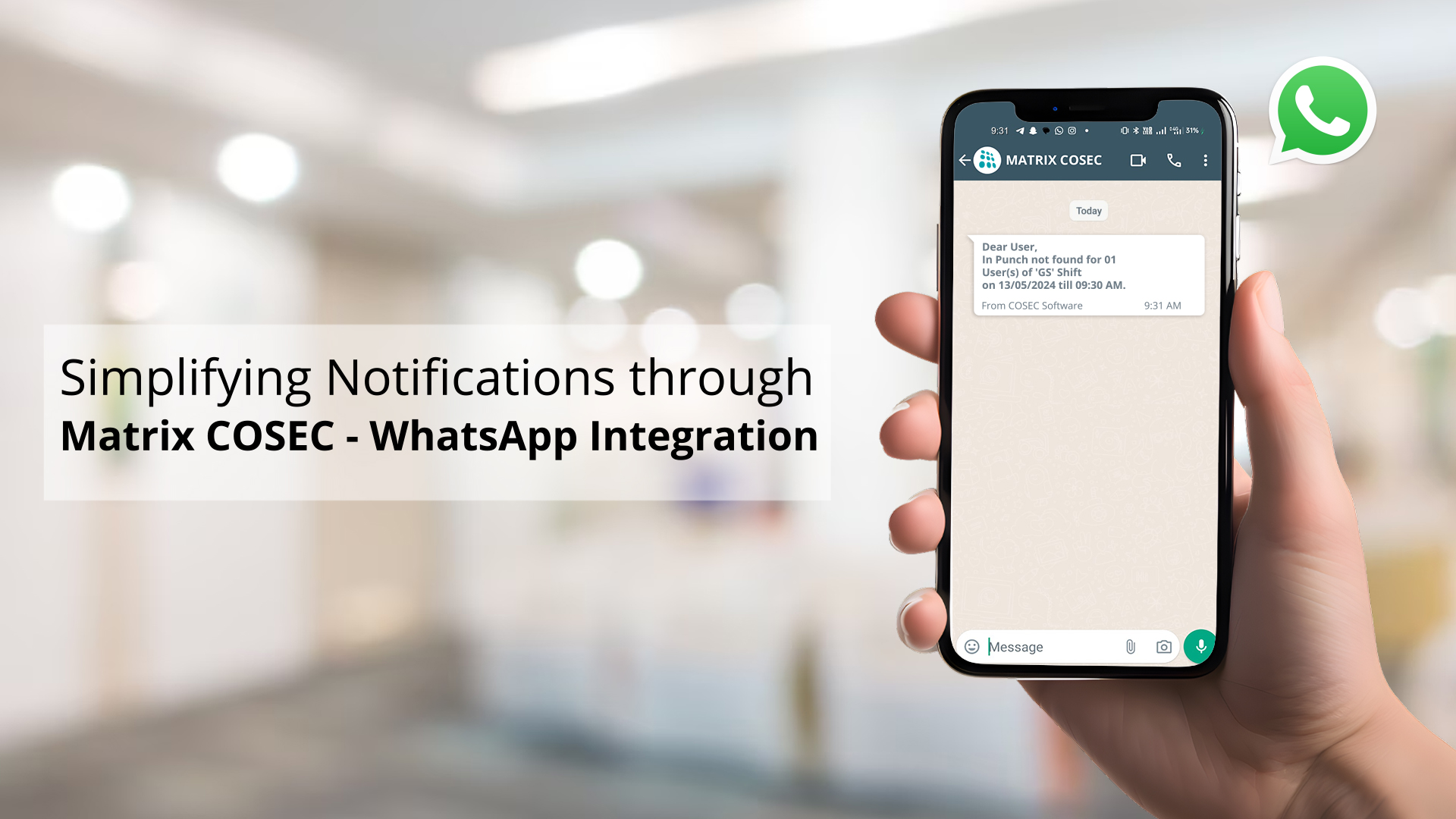
Communication delays in access control often cause major work stops. With over two billion users, WhatsApp offers a great tool for instant choices. We configure the Matrix COSEC WhatsApp integration to link our portal with chat tools. This setup helps your staff tracking remain precise. Chat alerts cut gaps and boost site defense.
How to Configure Matrix COSEC WhatsApp Integration?
WhatsApp integration with COSEC will offer notifications about attendance-related approvals, access events, and other critical updates and make the process instant and seamless. This integration simplifies the process of receiving and responding to time-attendance notifications, streamlining correspondence between employees and management.
Whether it’s leave approvals, late arrivals, or early departures, the integration ensures that all necessary stakeholders are promptly informed, allowing for swift and informed decisions.
Manual attendance tracking is slow and has errors. Old email alerts often go unread. This leads to slow sign-offs and security gaps. Our WhatsApp Integration solves this by sending alerts straight to your phone. First, sign up on the Meta portal. Admin teams handle the Matrix COSEC configuration using permanent tokens. This Integration builds a secure link. It connects your COSEC portal to the WhatsApp Business API for access control and attendance.
Step 1: Integrating WhatsApp with COSEC in META
WhatsApp integration with COSEC for alerts and notifications, create a WhatsApp Business account from the Meta Developer portal and collect Permanent Access Token, Phone Number ID, WhatsApp Business Account ID, App ID, and Security Token.
| Credential Type | Details | Value |
| Permanent Token | A long-term secure key | Ensures steady chat links |
| Phone Number ID | Unique code for the phone | Directs alerts to the user |
| Account ID | Business profile identifier | Links the system to your firm |
| App ID | Meta app code | Identifies the software link |
Step 2: WhatsApp Configuration in COSEC Admin
Once you have your WhatsApp Business credentials, log in to the COSEC Admin Module and open the WhatsApp Configuration section.
- Enter the required Meta IDs, tokens, and other WhatsApp details.
- Go to Alert Message Configuration and enable WhatsApp alerts.
- Select the events for which users should receive notifications, such as leave approvals, late arrivals, or access violations.
- Make sure the users’ WhatsApp numbers are added to their profiles.
- Send a test alert to confirm that the setup is working correctly.
This connects COSEC with WhatsApp, helping ensure that important attendance and access-related updates reach the right people quickly.
What This Means for You: You gain a fast tool. It helps data reach the boss at once, cutting downtime.
Streamlining Workforce Management via Real-Time Alerts
Running mobile teams often leads to gaps. Without fast alerts, bosses struggle to track attendance or stop breaches. This delay creates blocks and risks. The system sends Access control WhatsApp alerts when rogue entries occur. Bosses get a clear view without logging into complex software. Daily notes provide a total view. This WhatsApp Integration helps HR resolve attendance issues fast. Real-time logs help staff react to rogue entry. Automation cuts the load on your HR team.
| Workflow Step | Manual Process | Chat Linked |
| Event Alerts | Slow manual checks | Fast phone alerts |
| Approval Steps | Email or paper requests | One-tap mobile approvals |
| Risk Events | Slow check of logs | Fast breach alerts |
| Data Views | Locked to office PCs | Remote view on phones |
What This Means for You:
You achieve a better workplace. COSEC-WhatsApp integration keeps vital security and attendance data at hand, driving work speed. Reports show that mobile notifications reduce leave approval times by 60%.
Future-Proofing Your Access Control Strategy
Relying on basic logs means you only react after a breach. This lack of care leaves your site open to risks. Our platform drives Workforce management automation to ease HR tasks. This biometric access control solution works with the door hardware. AI tools spot odd entry paths in real time. This helps your card system remain strong.
| Feature | Basic Alerts | AI Alerts |
| Threat Spotting | Manual log review | Quick drift alerts |
| Alert Type | Broad system texts | Targeted role updates |
| System Health | Reactive fix requests | Smart maintenance |
| Data Security | Basic data transfer | Secure API setups |
Why upgrade to AI alerts?
- AI flags odd entry times or site breaches at once.
- Targeted alerts help the right staff get the data.
- Smart checks warn teams before hardware breaks down.
- Strong API tools guarantee secure data handling.
What This Means for You:
You gain a proactive shield. WhatsApp Integration cuts downtime and keeps bosses aware through the best tools. Studies show that real-time alerts lower access response delays by 40%.
Taking Control of Your Site
Firms use WhatsApp attendance notifications to track when staff clock in. This integration drives work speed. Surveys indicate that mobile-first attendance tools improve compliance rates by 45%. Achieve active, smart defense for your site.
Consult our experts today to improve your staff management plan and site defense.
Conclusion
Integrating WhatsApp chat helps you manage your team. It cuts out slow tracking and sends fast alerts. By integrating your system to the messaging API, you gain live data. This setup cuts delays in leave sign-offs. Your team stays aware through an app they use now. This smart approach keeps your site secure. Consult our experts today to build a better access plan.
Frequently Asked Questions
What keys do I need from Meta for COSEC WhatsApp integration?
Sign up on the Meta Developer portal. You need to collect your token, phone ID, and App ID. Enter these keys into the system settings. This secure link allows the software to send automated messages.
Can I choose which alerts are sent to the chat app?
Yes, the system gives full control. Managers can define specific alert types to prevent message flooding. You can choose to send alerts for shift times, leave sign-offs, or entry breaches. This makes sure users only get useful updates.
Does this support biometric access control events?
The link supports all events logged by your hardware. The system sends alerts when a user touches a finger reader or face scanner. These alerts cover good entries, denied entries, and door alarms. Guards track entry without using a desktop PC.