
Managing door safety across a growing company is hard. Many expanding firms still use standalone door locks. These local tools run alone and need manual updates. If a manager forgets to turn off a card or delays a user update, doors stay open. This leaves your site open to risk.
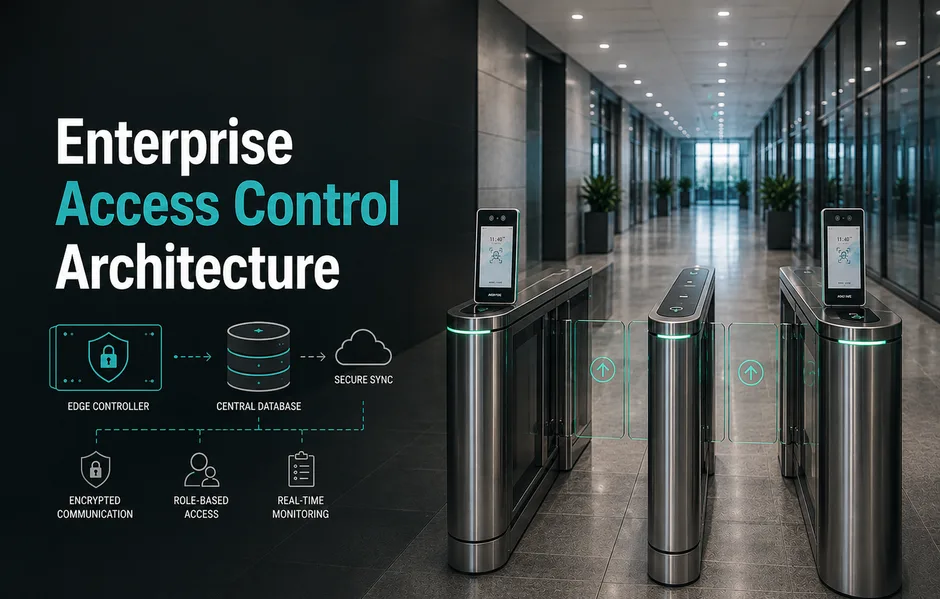
Modern enterprise access control architecture does more than just lock doors. It links your building safety with digital user profiles and company rules. This guide shows you how to build a secure, scalable enterprise access control design that follows key industry standards.
Feature Comparison: Legacy vs. Modern Access Control
| Feature | Legacy Standalone Locks | Modern Unified Architecture |
| Control | Site-by-site manual setup. | Centralized dashboard for managing all locations. |
| Integration | Separate access control, CCTV, and security systems. | Seamless integration with video surveillance and enterprise IT platforms. |
| Outages | Systems may become unavailable during network or server failures. | Edge controllers continue making local decisions even during outages. |
| Audit Trails | Manual log reviews with limited evidence. | Real-time alerts, automated audit trails, and video verification. |
Strategic Takeaways for Infrastructure Managers: A unified security platform shuts down gaps and saves time. It helps you roll out multi-site enterprise access control with the same rules at every office. Pairing this with an integrated VMS gives you video proof for every door event.
1. Why Standalone Physical Security Fails
Siloed locks create blind spots. Studies show that over half of physical breaches happen due to slow card updates. When each branch office runs its own door database, security teams lose sight of entry events.
Manual updates across many sites lead to old access lists. If a worker leaves the firm, their badge might stay active for days. This delay lets ex-employees or bad actors walk in without checks.
The Risks of Disconnected Systems
- Manual Entry: Staff must update door rules on each site by hand.
- Slow Offboarding: Badge updates take days to sync across offices.
- No Central Audits: You cannot trace a user’s path from a single screen.
Mitigating Liability at the Perimeter: Moving to a unified setup cuts manual work. It reduces human errors that lead to breaches. It also saves costs by cutting server licenses. Following enterprise access control best practices means keeping rules central while letting edge units make local door decisions. This ensures doors still work even when the network is down.
2. Pillars of a Scalable Access Control Design
A scalable enterprise access control design keeps control central but moves decisions to the door. The system must keep working even if the server connection drops.
Modern setups use smart edge controllers. These units store a copy of the user database. If the internet fails, the local unit still unlocks the door for approved users. It stores the events offline and syncs them back to the server later.
Accelerating Access Flow
- Central Control: Manage all door rules from a single dashboard.
- Edge Uptime: Keep door locks running offline when the network fails.
- Role-Based Rules: Access permissions follow the person, not just the card.
Open Standards: Use standard links to avoid vendor lock-in.
Solving Network Outages in India
Branch offices in remote towns often face slow or unstable internet. A scalable access control design handles these network drops. Local databases on edge units ensure that multi-site enterprise access control India rollouts do not experience entry delays.
3. Connecting Access Control with the Broader IT Stack
Siloed door security makes incident review slow. Modern IT teams now treat physical access logs just like network login events.
Linking door logs with IT tools builds a single source of truth. For example, if a user badges into a server room while their PC logs in from another city, the system flags the conflict. This flags badge sharing or stolen cards at once.
The Value of Instant Video Proof
Integrating access control with cameras changes how you handle alarms. An integrated enterprise access control and VMS solution shows guards what triggered an alert.
- Live Context: A door alarm triggers a camera view on the screen.
- Quick Audits: Click on a badge log to watch the matching video clip.
- Fewer False Alarms: Guards check live feeds to clear alarms from their desks.
4. Automating User Workflows
Automating badge creation and deletion is vital for safety. It ensures that physical door access matches the HR database.
Enforcing Corporate Policies Instantly
- HRIS Link: Sync the security system with HR tools like Workday or SAP.
- Instant Offboarding: Terminated staff lose access across all offices at once.
- Role Shifts: Job changes update permissions at once.
Matrix Comsec provides physical security tools that simplify these workflows. By using a single, unified database, firms can automate visitor rules and employee access without complex middleware.
5. Building Reliable and Cyber-Secure Systems
Enterprise hardware must resist physical and cyber attacks. Legacy door systems are easy to clone or tap.
Modern systems use the Open Supervised Device Protocol (OSDP) instead of Wiegand wiring. OSDP supports AES-128 encryption between the reader and the controller. This prevents hackers from tapping wires to steal badge data.
Comparative Infrastructure Tech
| Protocol / Standard | Legacy Wiegand Wiring | Modern OSDP Standard |
| Security tapping | No encryption. Badge data is easy to steal. | AES-128 encryption. Resists wire tapping. |
| Feedback | One-way only. Cannot check reader health. | Two-way. Monitors reader status in real time. |
| Wiring | Needs multi-conductor cables for each reader. | Uses simple two-wire RS-485 chains. |
Enforcing a Zero-Trust Physical Perimeter: Following enterprise access control best practices means treating every entry as a potential risk. A modern physical setup uses two-factor checks (like biometrics and smart cards) at high-risk doors. Edge units must be built for heavy duty, ensuring years of high uptime.
6. The Strategic Value of Engineering Ownership
Enterprise physical security is a long-term investment. Fragmented systems from different brands lead to integration issues and support delays.
Matrix Comsec offers a unified, single-vendor physical security stack. This Made-in-India solution integrates access control, video surveillance, and IP video door phones. By owning both hardware and software development, Matrix Comsec ensures seamless system integration and simple support. This reduces deployment costs and prevents system conflicts.
Future-Proofing Your Security Infrastructure
Review your current setup against modern standards. Ensure your security system can scale with your business. Contact our consultants to plan a modern, secure enterprise access control architecture.
Conclusion
Modern enterprise security requires more than basic locks. Legacy silos create security gaps and increase operational costs. A robust enterprise access control architecture centralizes rule management while using smart edge hardware.
This scalable access control design simplifies multi-site enterprise access control projects in India. Linking doors with an integrated access control VMS gives teams real-time visibility. Following access control best practices keeps your physical perimeter safe from digital and physical threats. Matrix Comsec provides a unified, local solution to simplify these tasks, helping you lower costs and protect your assets. Now is the time to audit your entries. Contact our consultants today to build a future-proof security system.
Frequently Asked Questions
What is the difference between RBAC and ABAC?
Role-Based Access Control (RBAC) grants access based on job titles. Attribute-Based Access Control (ABAC) adds context like time of day or location. Combining both ensures staff can only enter secure zones during shift hours.
How does access control handle internet outages?
Edge controllers cache the user database. If the server connection drops, the local hardware still makes entry decisions. The controller saves events offline and uploads them when the network returns.
Why is OSDP preferred over Wiegand?
OSDP supports two-way, encrypted data transfers (AES-128). This prevents card skimming and wire tapping. Legacy Wiegand wiring lacks encryption, making it easy to compromise.
Can I connect my HR system to access control?
Yes. Modern Enterprise access control platforms use open APIs to connect with HR tools. This automates the process of creating, updating, and disabling user badges.